From work to a paid invoice, three ways
However you work, it ends the same way: an invoice your customer can open, a payment recorded, and your sales tax worked out. These are real screens from a sample business.
Invoicing is part of Business. Your free trial includes it, with no card.
Route AYou track hours on jobs
For time-and-materials work. It starts with your crew’s timesheets: every hour they log on a job adds to what that job is owed.
- Step 1 of 4
Your crew logs hours on the job
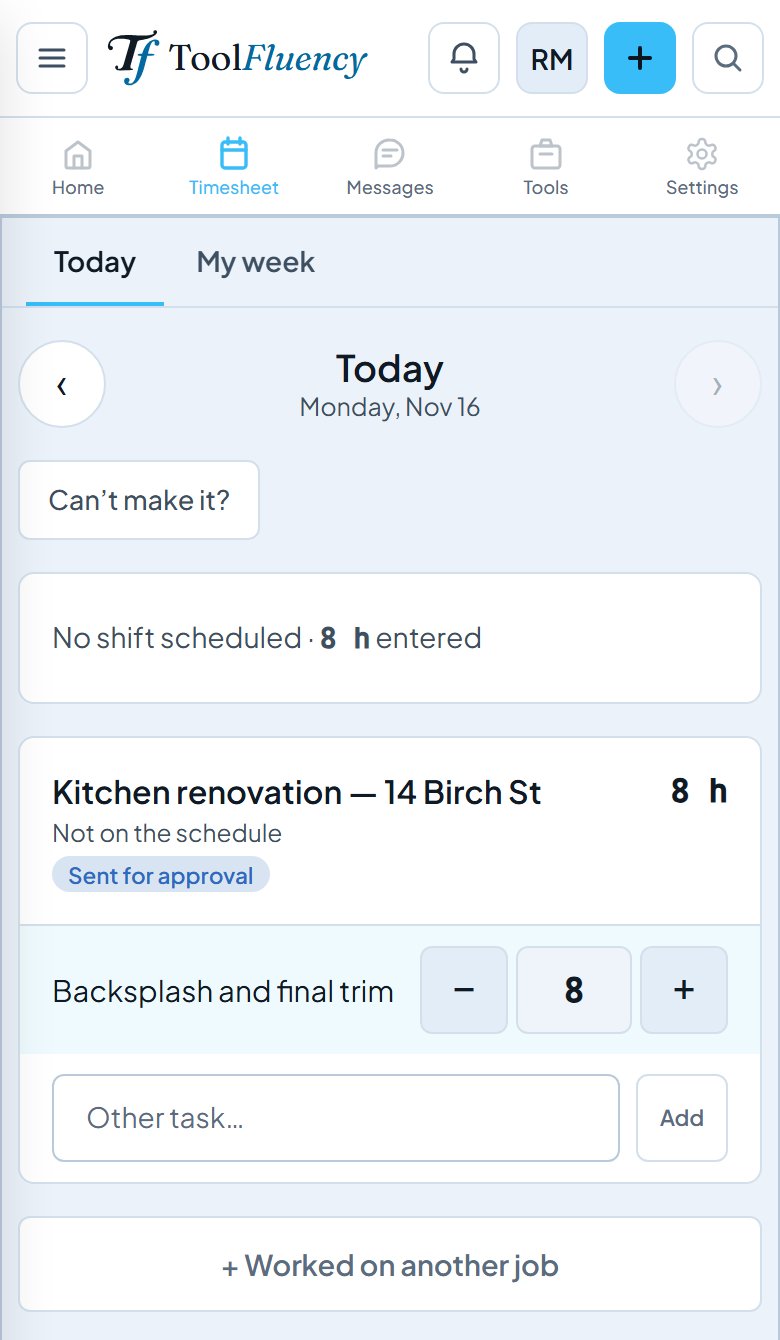
On their phone in Work Suite, each person enters today’s hours on the job they worked, with what they did. Here Riley logged 8 hours on the kitchen renovation, sent to you for approval.
- Step 2 of 4
The job adds up what is not billed yet
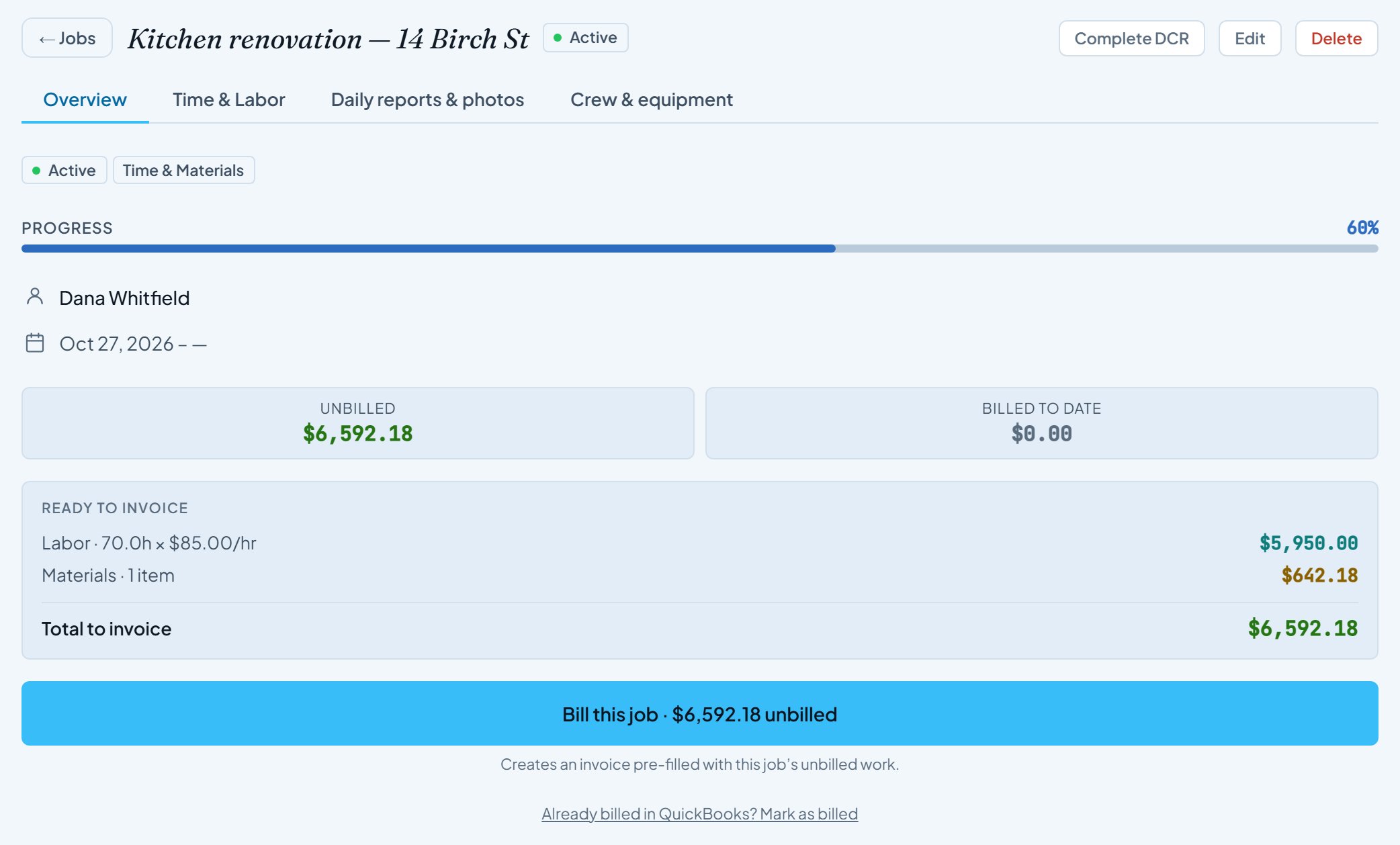
Every hour logged on the kitchen renovation counts at your rate, plus the materials you marked billable: 70 hours at $85 and $642.18 of lumber, ready to invoice.
- Step 3 of 4
Pick which jobs go on this invoice
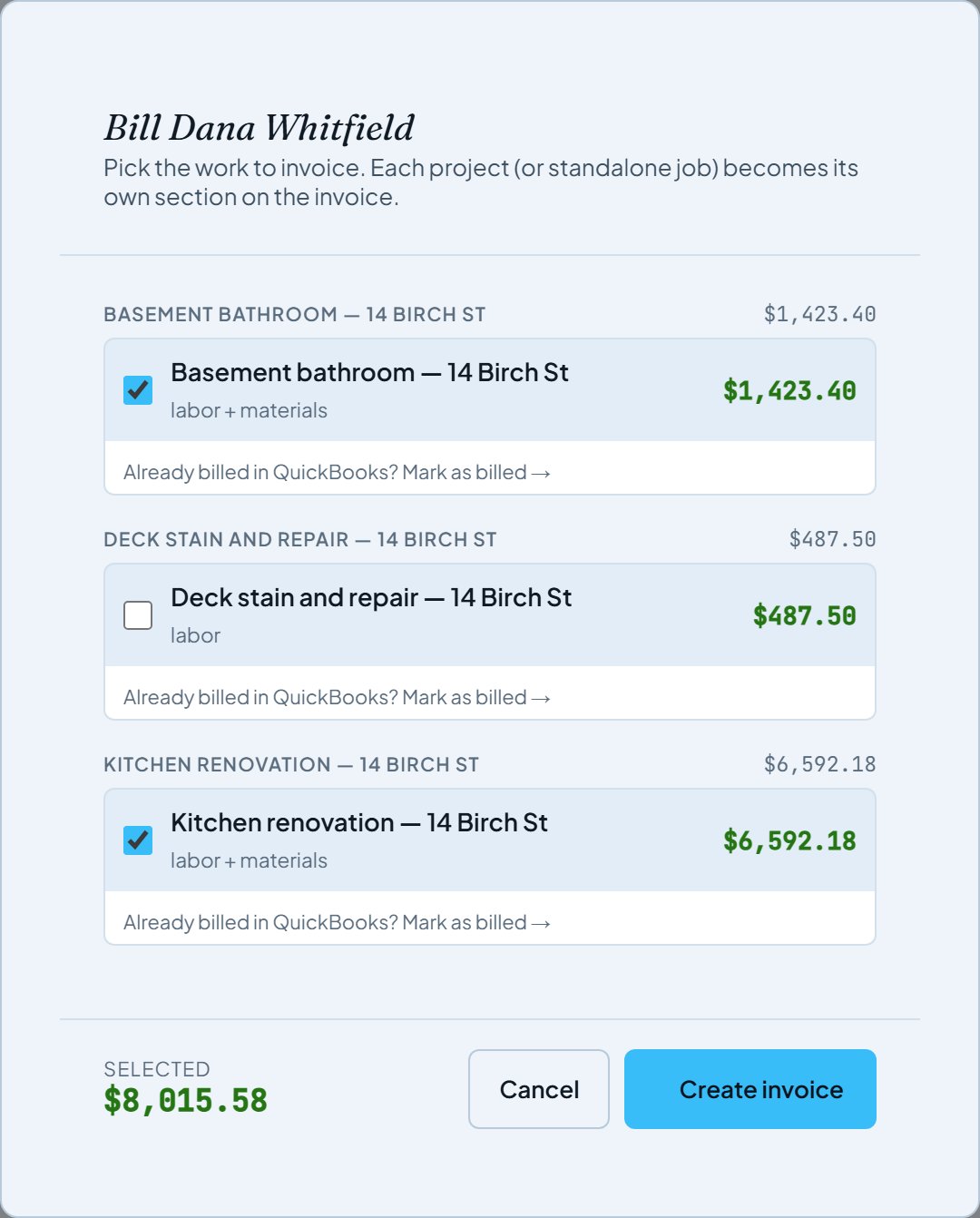
Bill this job lists everything not yet billed for this customer. Dana has three jobs on the go; tick the two you are billing now and leave the deck for later.
- Step 4 of 4
The invoice is already filled in
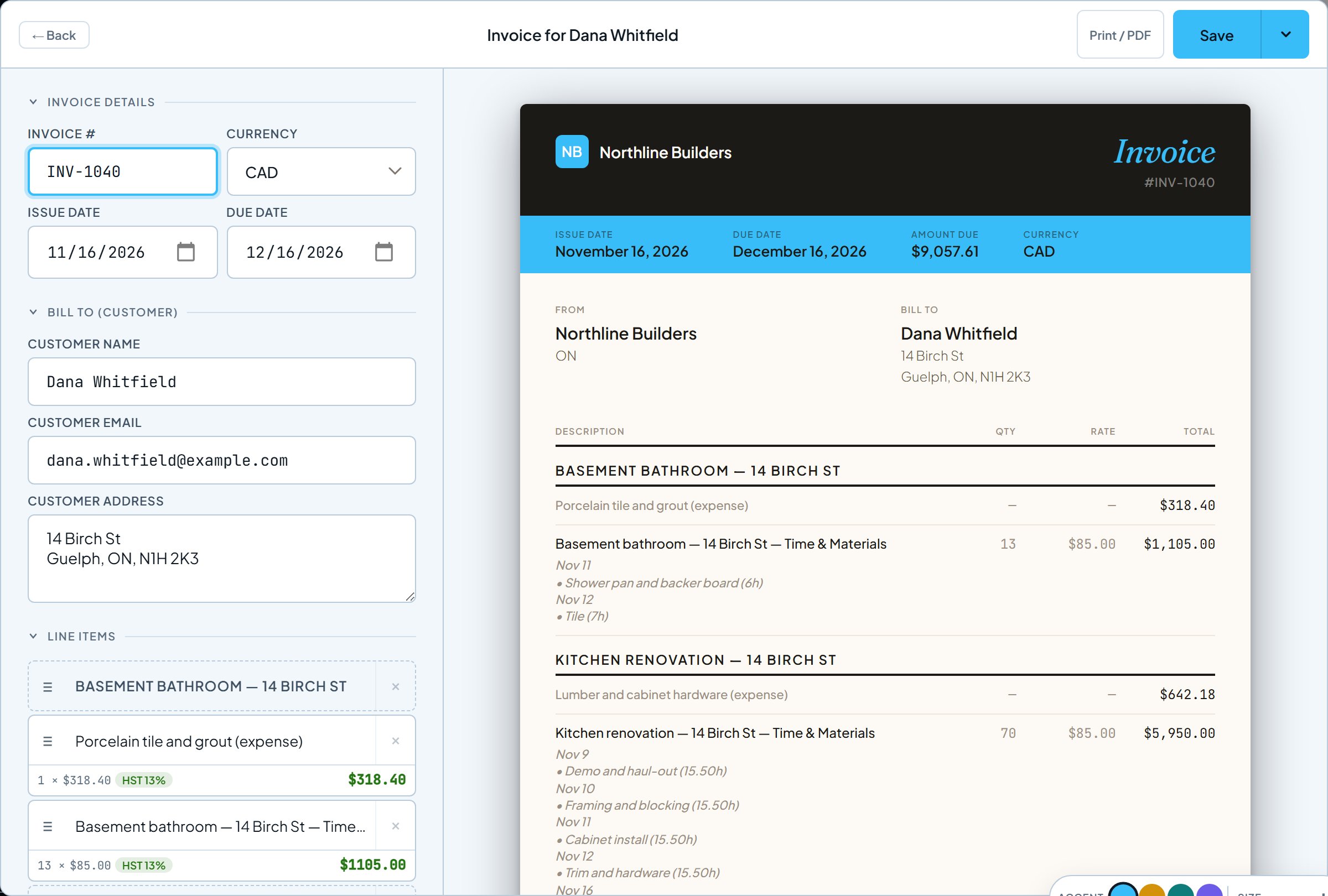
Each job becomes its own section with its materials and its hours day by day, and HST is worked out. Check it, change anything you like, and save.
Route BYou quote first
For fixed-price work. Send an estimate; your customer accepts it from the link, and the estimate becomes the invoice with no retyping.
- Step 1 of 4
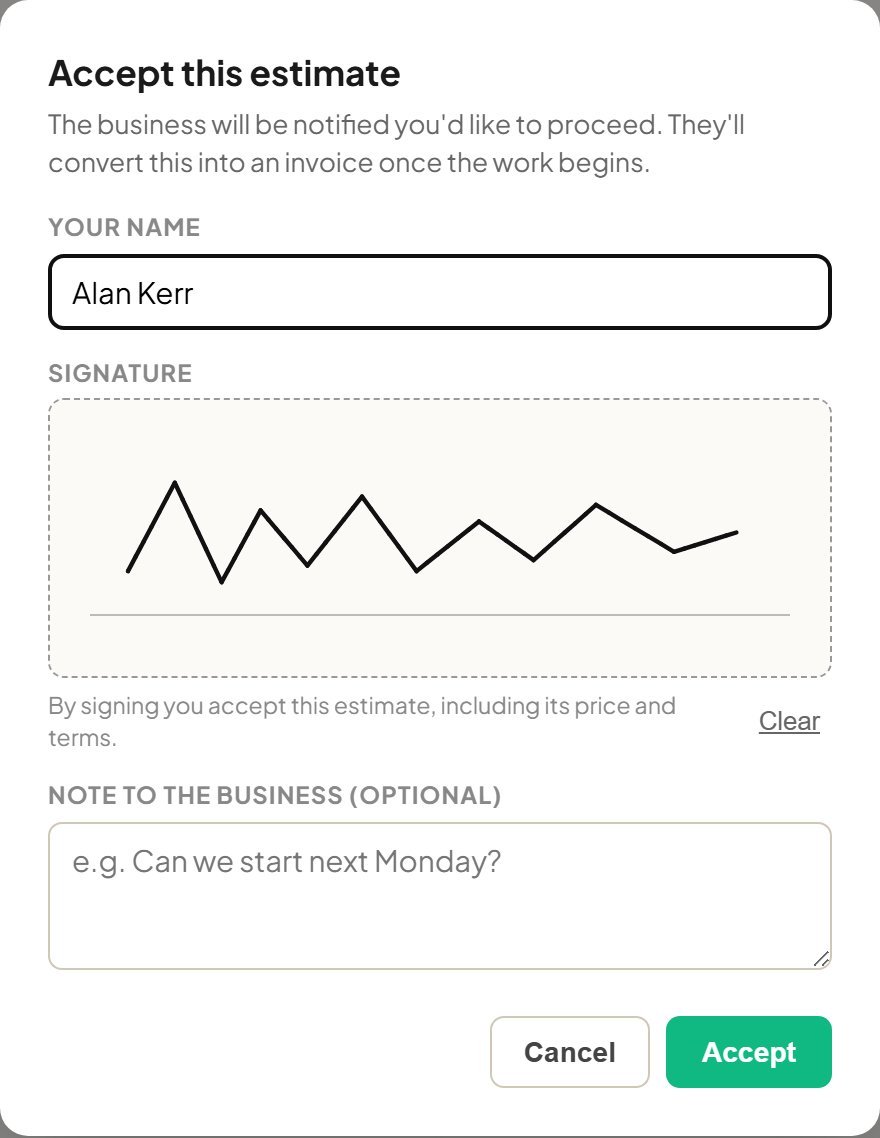
Your customer accepts, and signs
The estimate link opens in any browser. Your customer taps Accept, types their name and signs with a finger or mouse. No account needed.
- Step 2 of 4
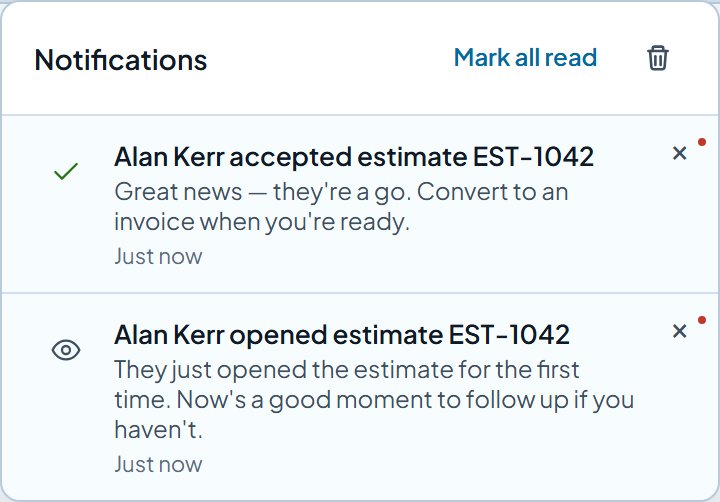
You know right away
You get an alert when they open the estimate, and another the moment they accept it, with any note they left.
- Step 3 of 4
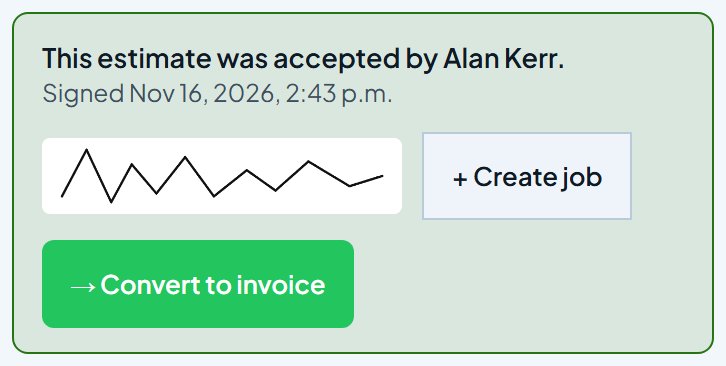
Start the job, or bill it
The accepted estimate offers + Create job to put the work on your schedule, or Convert to invoice when it is time to bill.
- Step 4 of 4
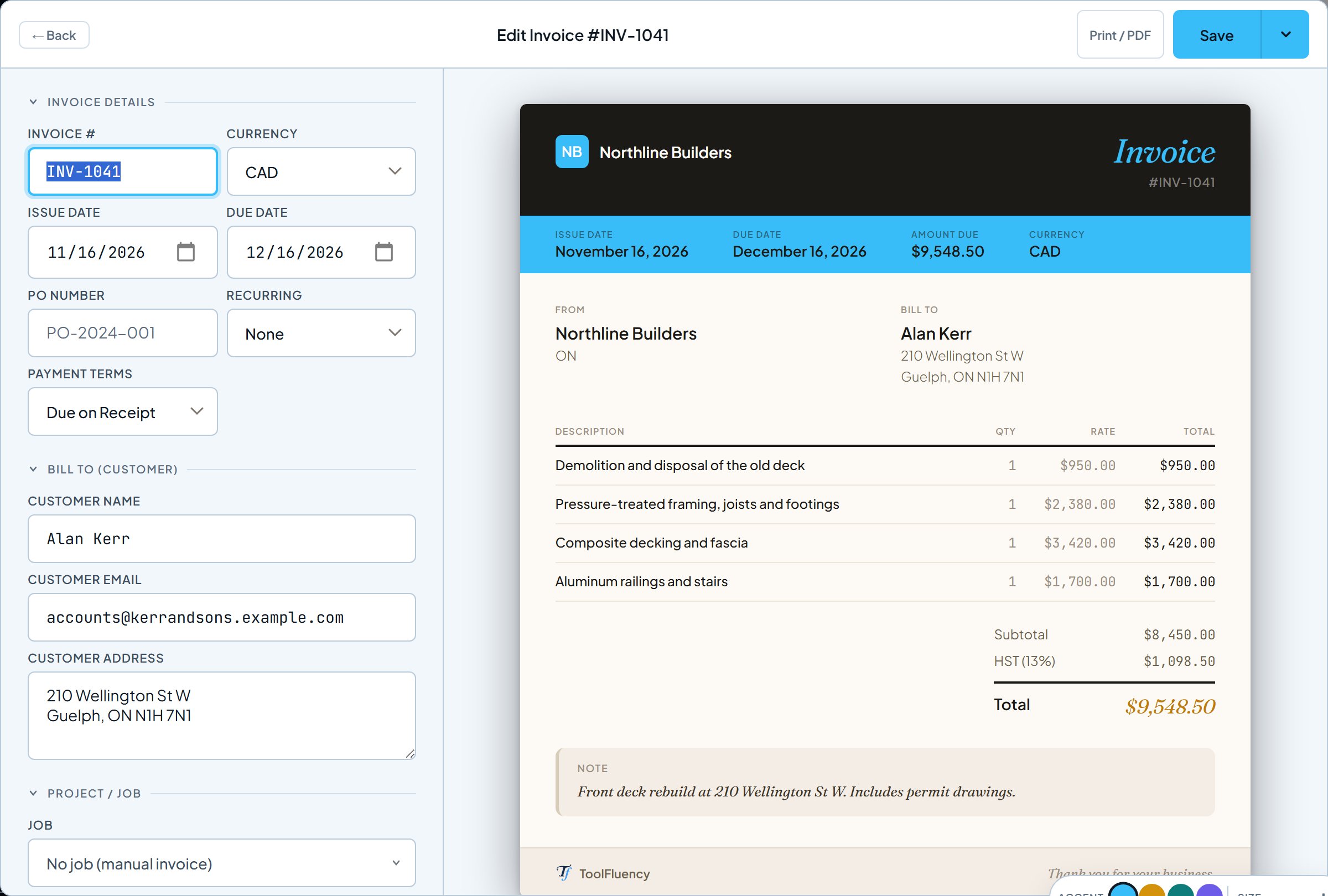
Every line carries over
The invoice copies the estimate’s lines, tax and notes, and remembers which estimate it came from.
Route CYou just need an invoice
For one-off work, or anything you bill by hand.
- Step 1 of 2
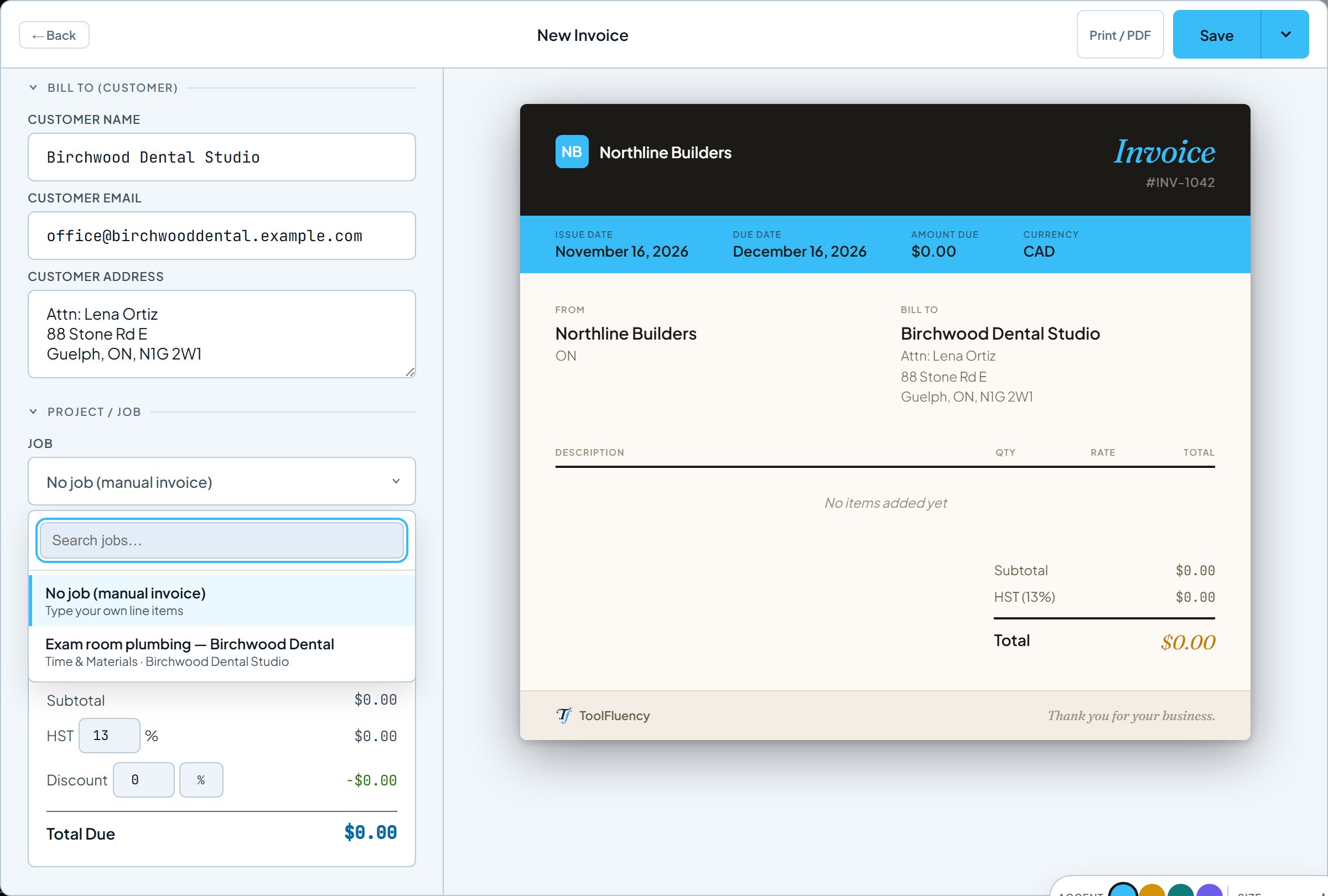
Pick the customer, then a job if there is one
Choose a saved customer and their details fill in. The job list then shows that customer’s jobs, or pick No job and type your own lines.
- Step 2 of 2
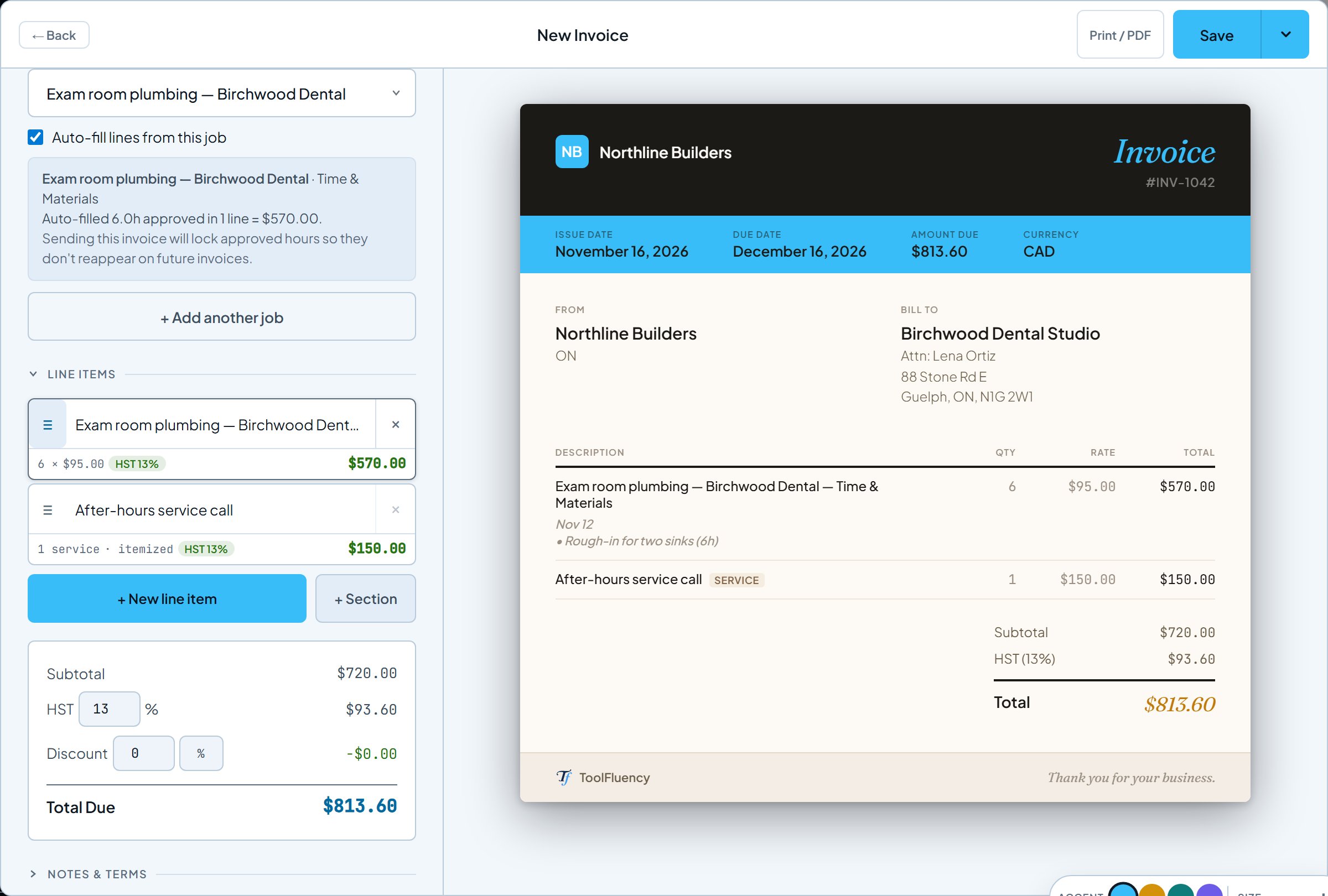
Hours and your own lines, together
Picking a job fills in its approved hours. Add your own lines beside them, like this service call, or + Add another job to bill several at once.
Every routeSend it and get paid
Whichever route you took, the invoice ends up in the same place.
- Step 1 of 7
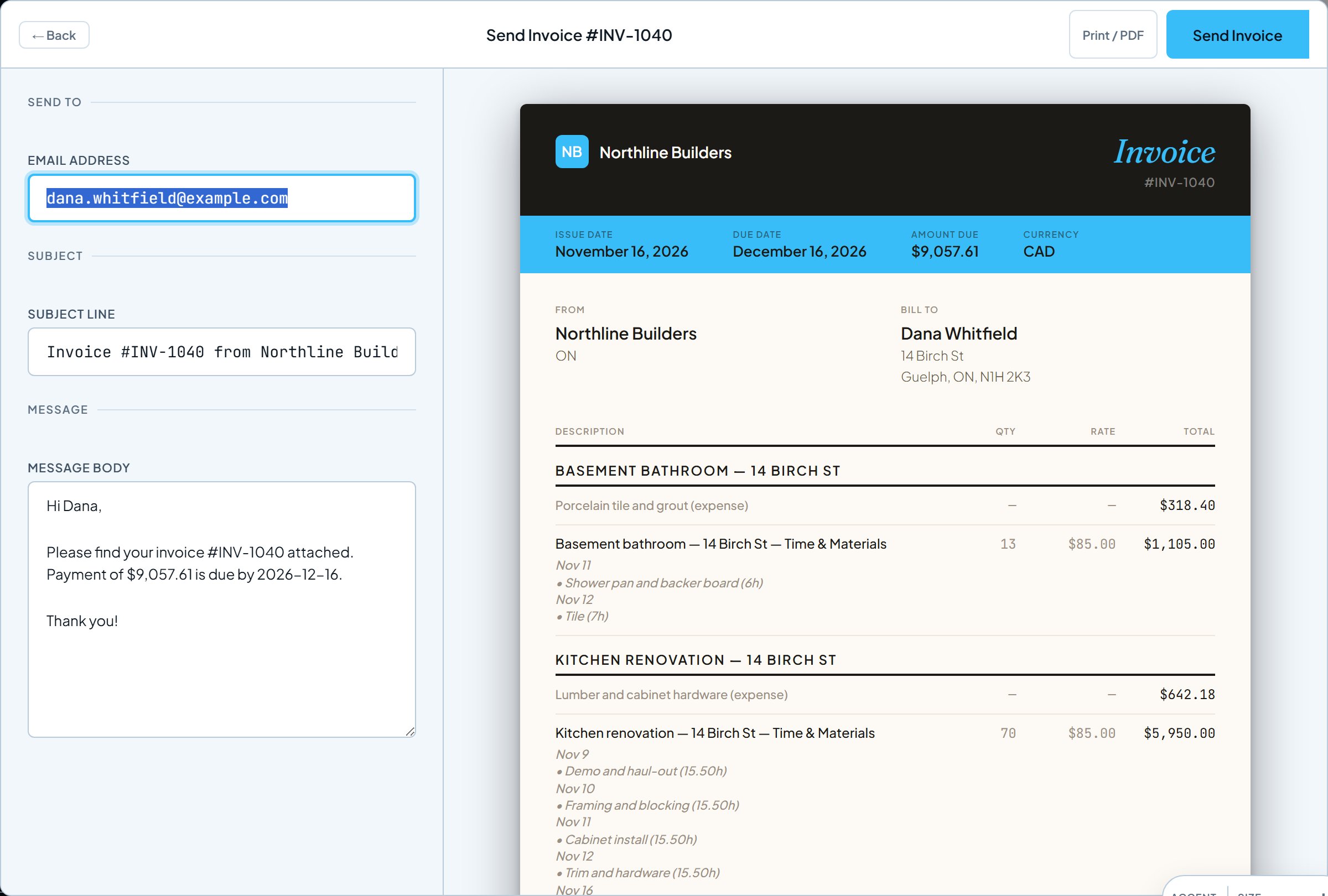
Send it by email
Send Invoice emails your customer the invoice as a PDF, with a link to view it online. Change the message first if you like.
- Step 2 of 7
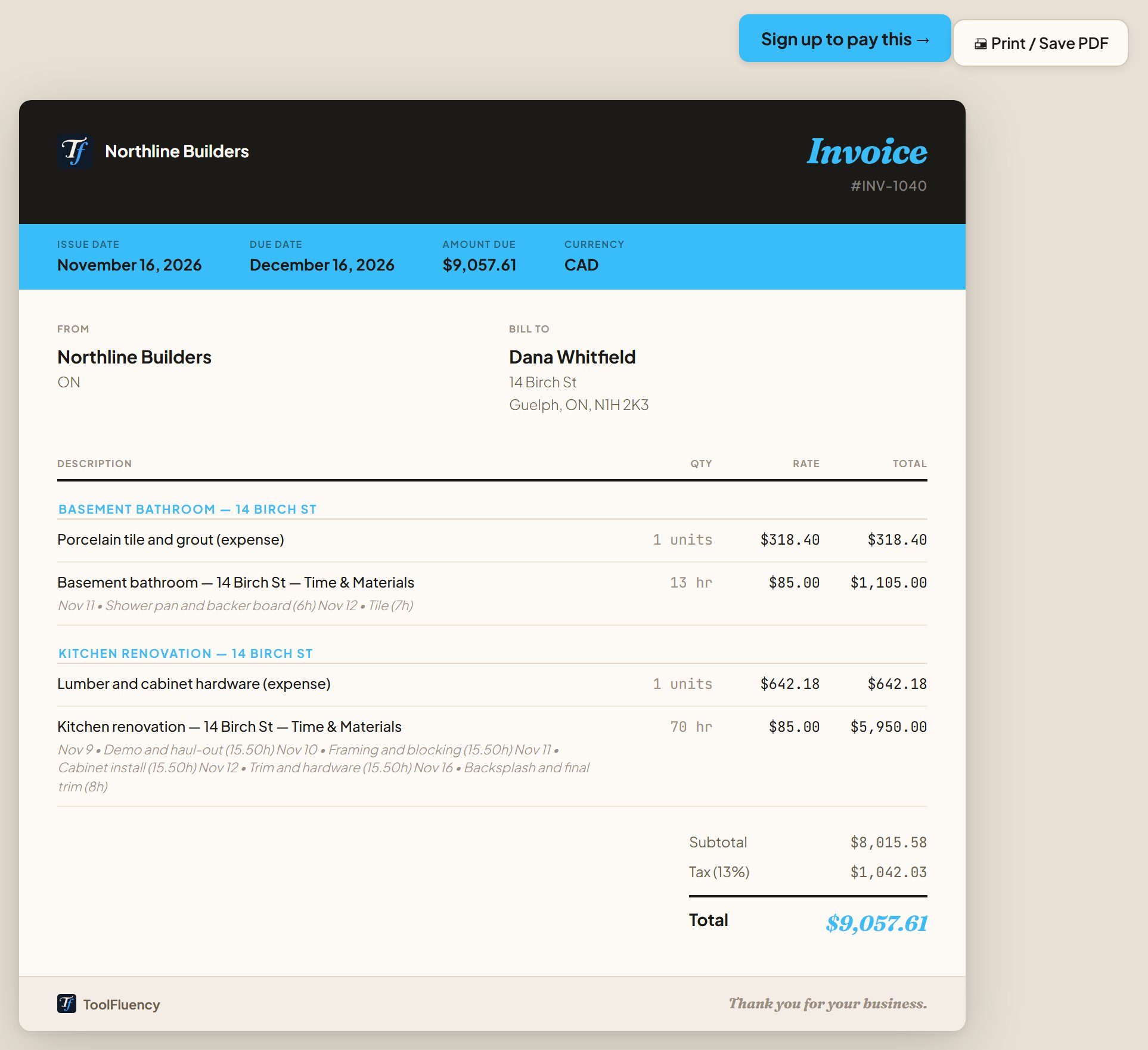
What your customer sees
The link opens the invoice in any browser, with no account needed. They can print it or save it as a PDF.
- Step 3 of 7
You see when they open it
The first time your customer opens the invoice, it changes from Sent to Viewed on your Sales list.

- Step 4 of 7
And you get an alert
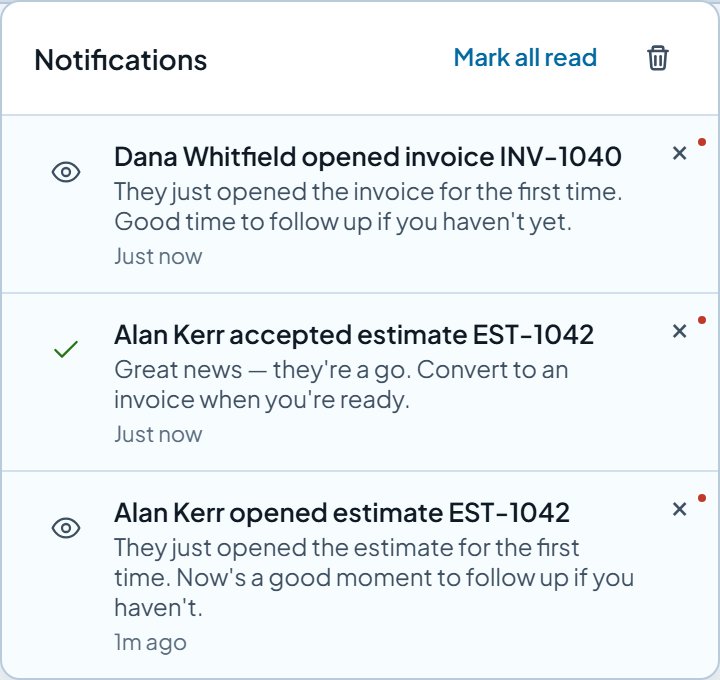
"Dana Whitfield opened invoice INV-1040" lands in your notifications, so you know when to follow up. Accepted estimates show up here too.
- Step 5 of 7
Record the payment
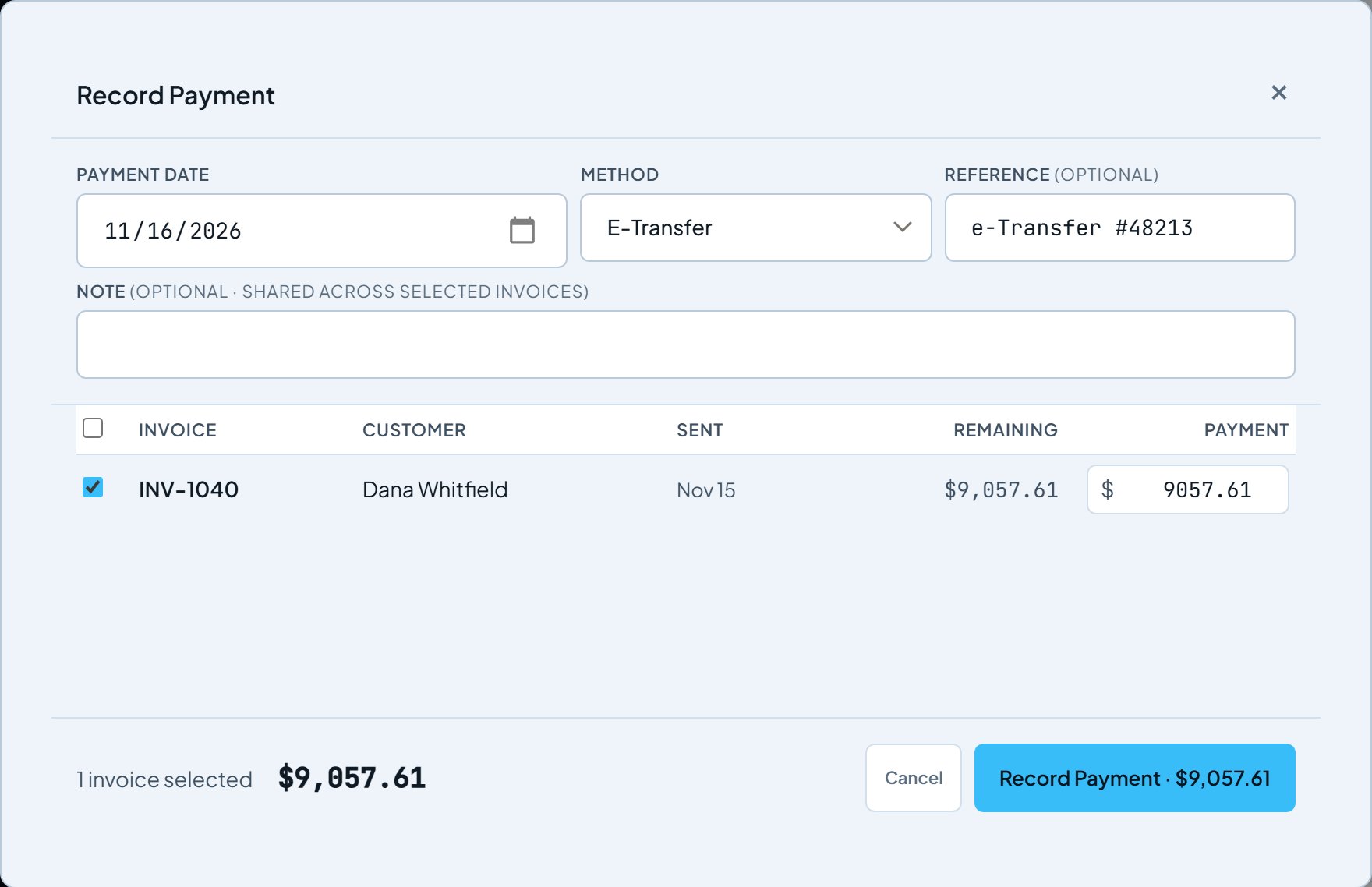
When the money arrives, record it: the date, how they paid and a reference. Part payments are fine; the invoice shows what is left.
- Step 6 of 7
Your numbers update on their own
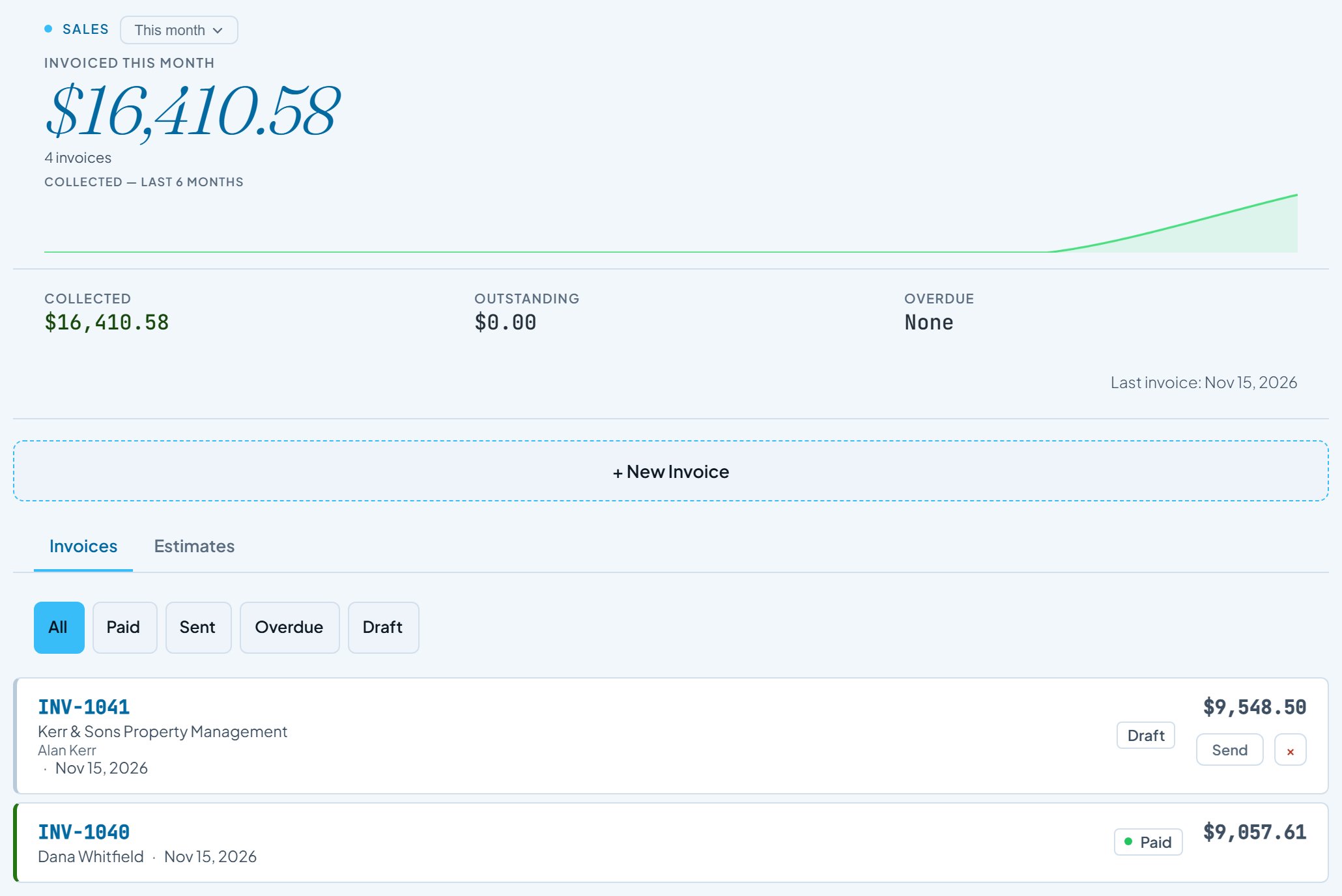
Sales shows what you invoiced and collected this month, what is still outstanding, and anything overdue.
- Step 7 of 7
Your sales tax, already worked out
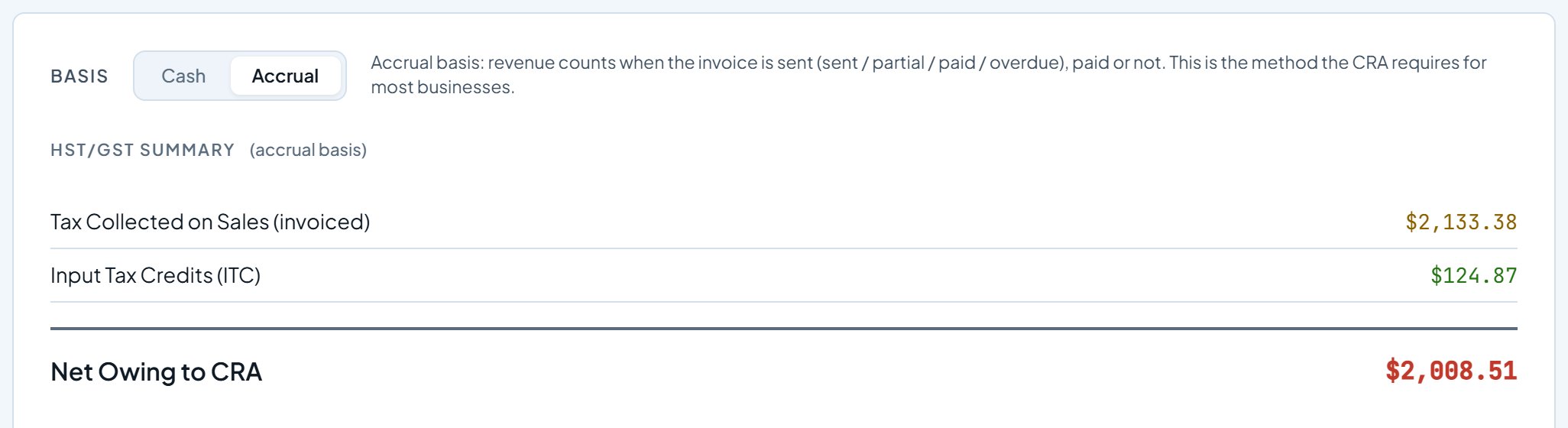
Taxes, Sales Tax totals the HST you charged, takes off the HST you paid on business expenses, and shows what you owe the CRA. A US business sees what it owes its state.
Send your first invoice today. Sign up free, add a customer, and bill your first job. Invoicing is part of Business. Your free trial includes it, with no card.
Start freeScreens updated 2026-11-16 from the live app. Names and amounts are a sample business.