Run payroll and send every employee their pay stub
Hours your crew logs turn into a payroll run, and each person gets their own pay stub on their phone the moment you run it. These are real screens from a sample business.
Payroll is part of Business Pro. Your free trial includes it, with no card.
- Step 1 of 7
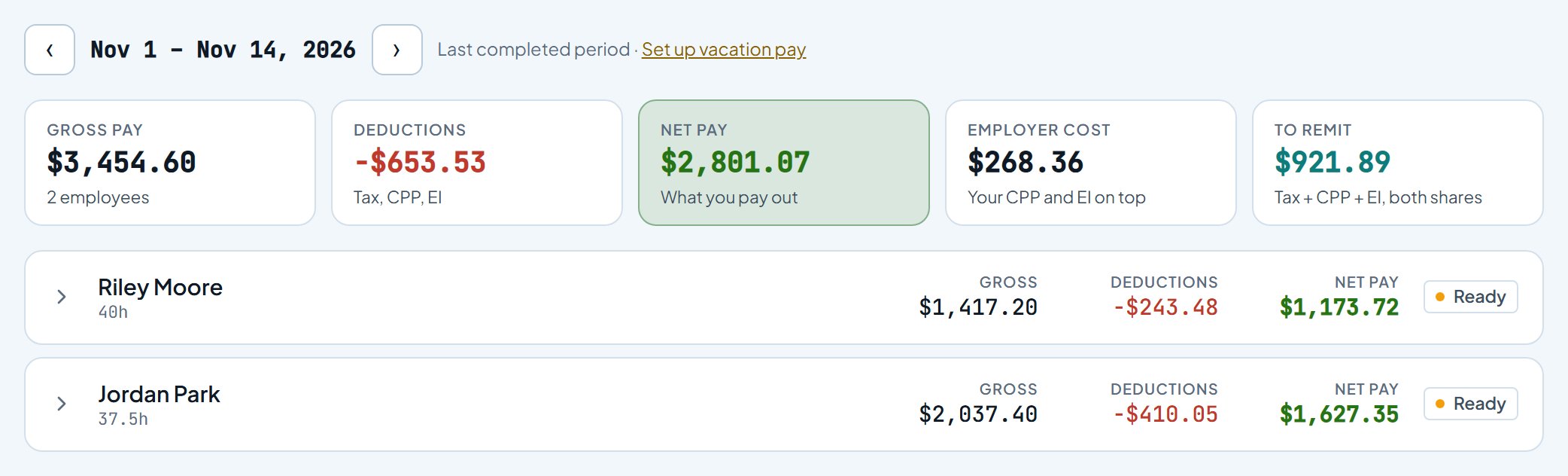
Approved hours are already there
Hours your crew logs and you approve land in the pay period on their own. Gross pay, deductions and net pay are worked out for each person, along with what you owe on top.
- Step 2 of 7
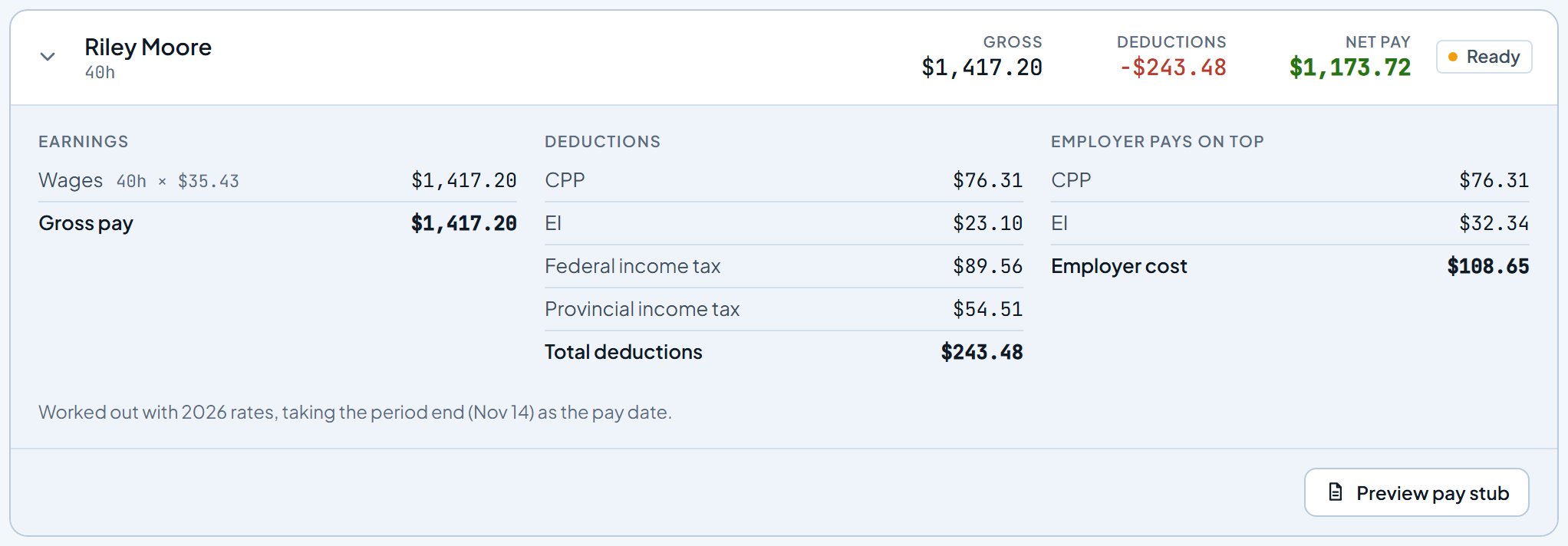
Check anyone's pay before you run it
Open a person to see every line: wages, CPP and EI (or Social Security and Medicare in the US), income tax, and your share as the employer. Preview pay stub shows exactly what they will get.
- Step 3 of 7
Run payroll. The pay stubs go out with it.
One button saves the run, and each employee's own pay stub is sent to their Work Suite at the same moment. No PDFs to email, and nobody sees anyone else's pay.

- Step 4 of 7
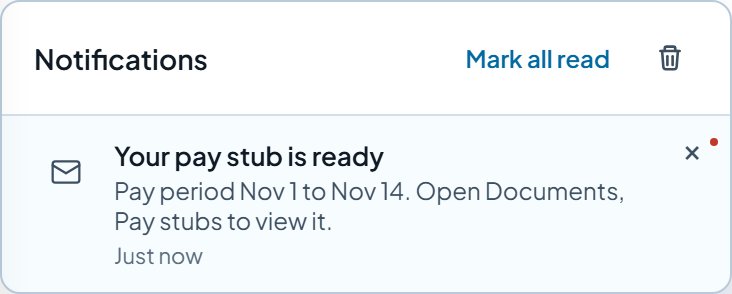
Each person gets a notification
Your pay stub is ready shows up in the app, and as a phone notification if they have turned those on. The amount never shows on the lock screen.
- Step 5 of 7
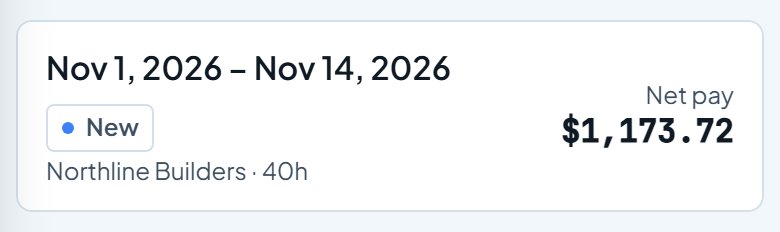
Every stub in one place
Work Suite, Documents, Pay stubs keeps every stub they have been sent, newest first, with new ones marked. Work Suite is free for your employees.
- Step 6 of 7
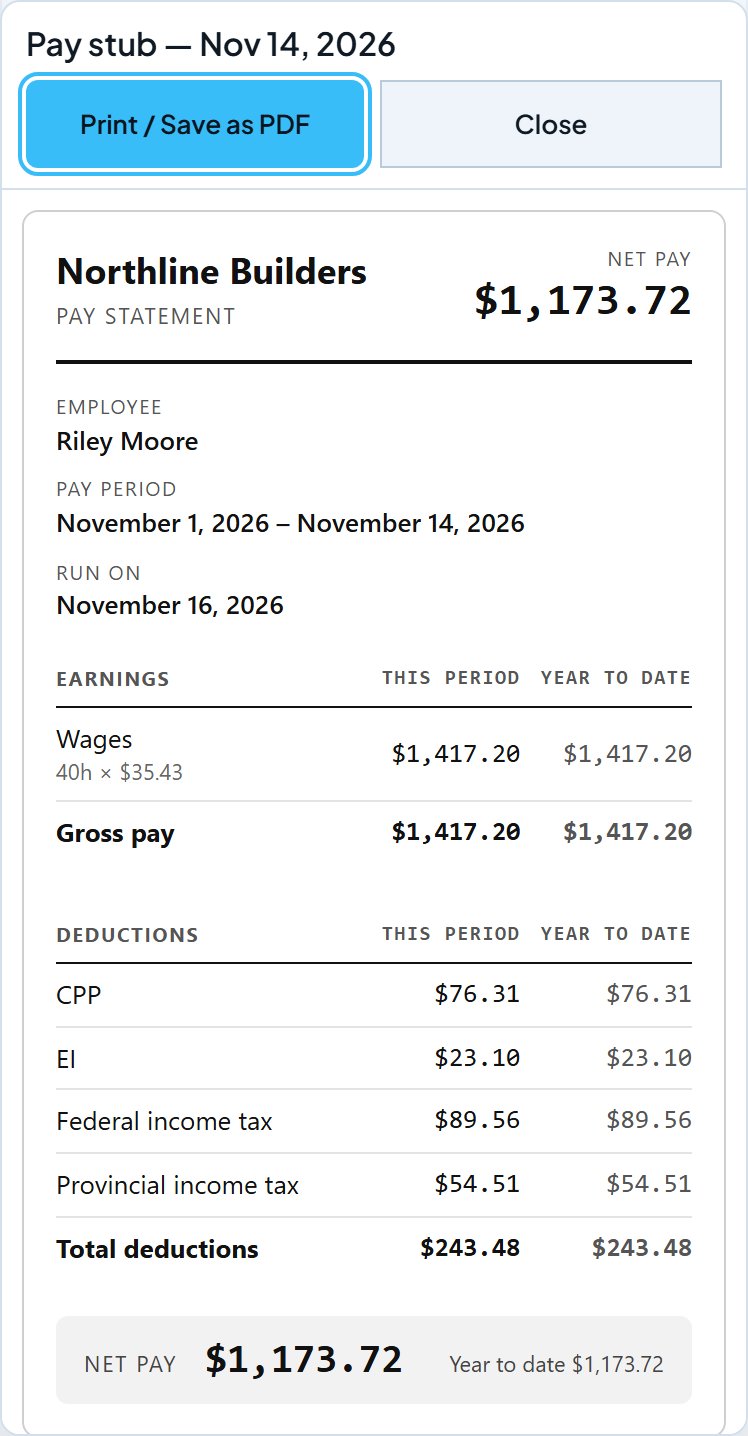
The full pay statement
This period and year to date, every deduction, and a Print / Save as PDF button for when a landlord or a bank asks for one.
- Step 7 of 7
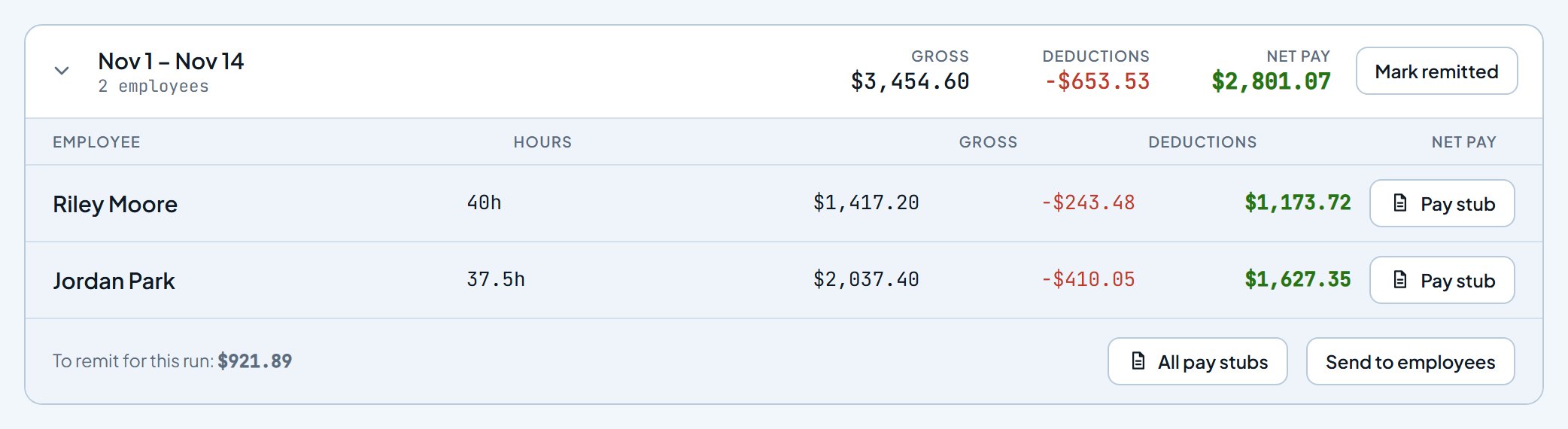
Every run is kept
History keeps each run with its pay stubs, and year-end figures export from here. Send to employees sends the stubs again, for example after someone joins Work Suite.
Try it with your own crew. Sign up free, add your people, and run your first payroll. Payroll is part of Business Pro. Your free trial includes it, with no card.
Start freeScreens updated 2026-11-16 from the live app. Names and amounts are a sample business.