Turn your saved SOPs into your crew’s Operating Manual
Save trade SOPs from the free library, move them into your business in one step, and every person on your crew can open them in Work Suite. These are real screens from a sample business.
Business is part of your free trial, with no card. Your crew uses Work Suite for free.
- Step 1 of 6
Your dashboard notices your SOPs
Once you have saved a few SOPs to your Personal documents, the dashboard offers to set up your business and put them in an Operating Manual.

- Step 2 of 6
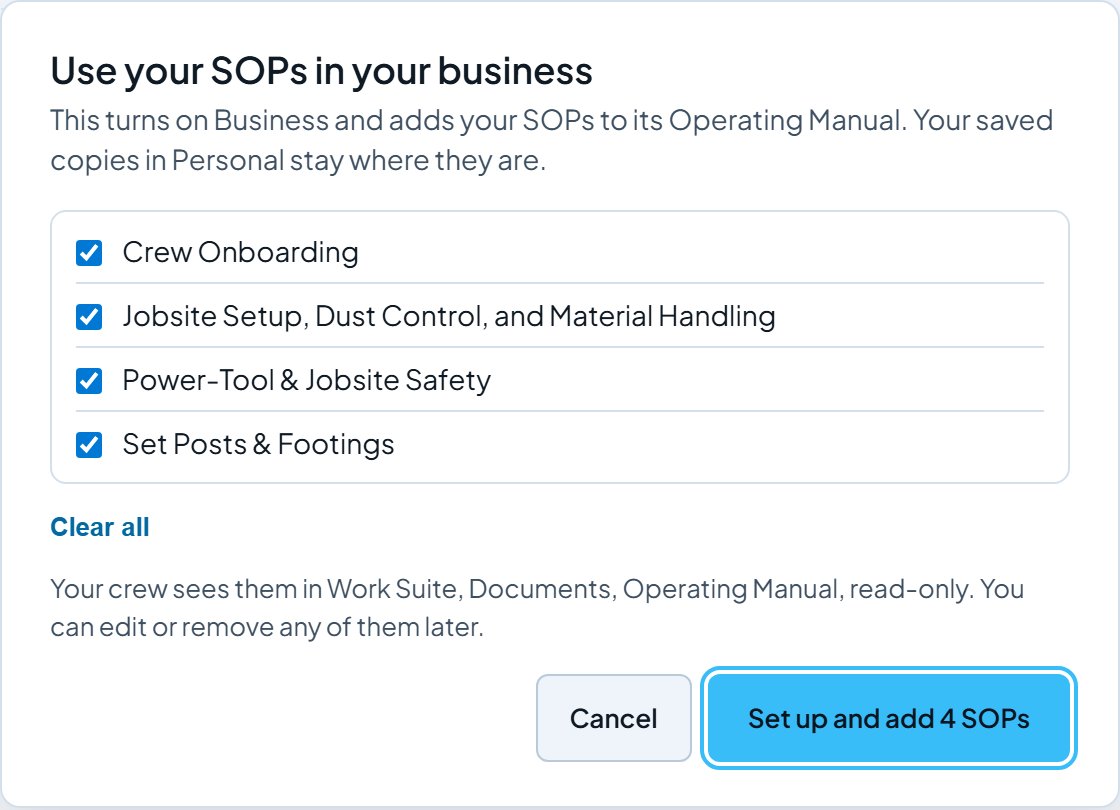
Pick the ones your crew should follow
Tick the SOPs to move. Your saved copies in Personal stay where they are, so nothing is lost.
- Step 3 of 6
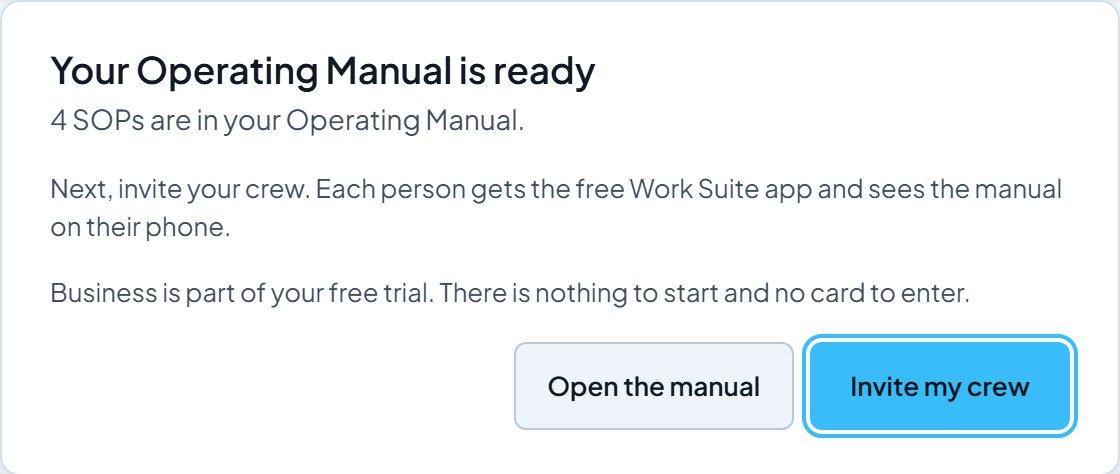
The manual is ready
One click turns on Business and fills the Operating Manual. Next, invite your crew. There is nothing to start and no card to enter.
- Step 4 of 6
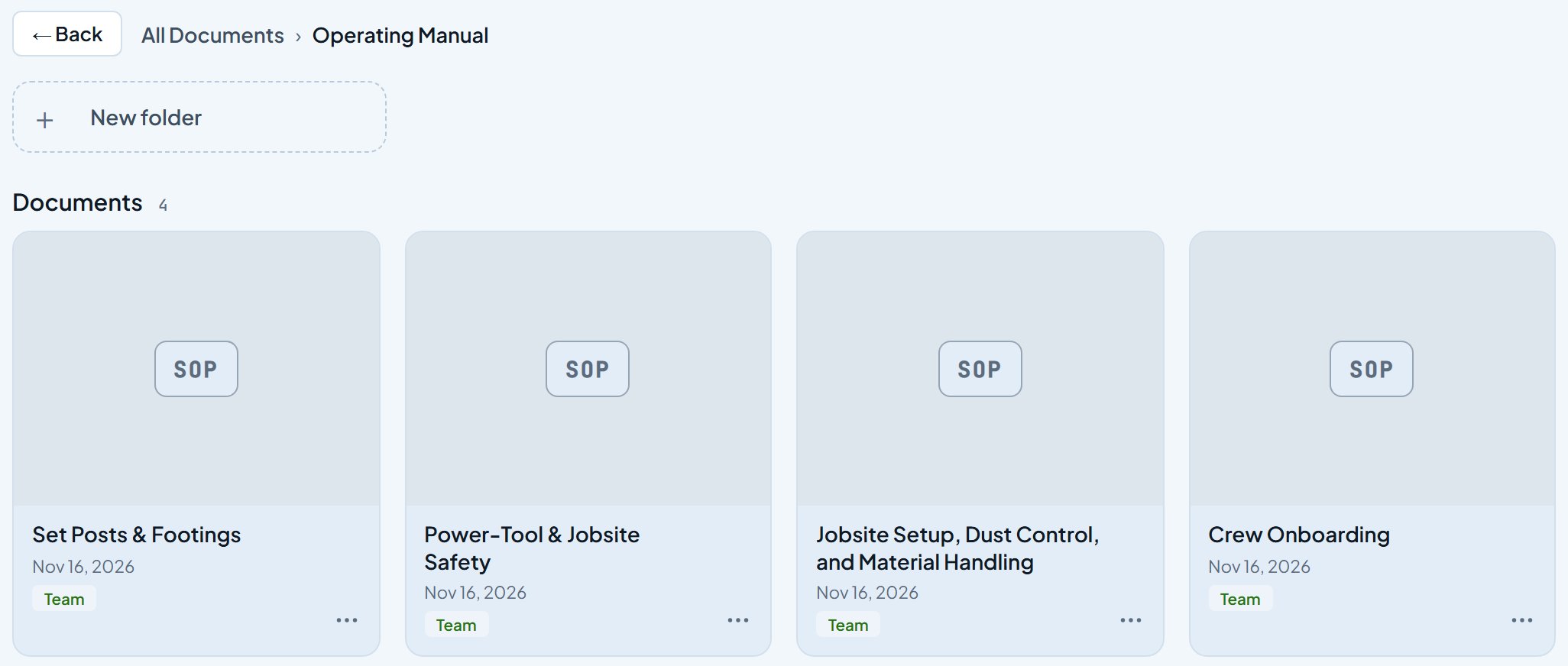
One folder for the whole manual
Business, Documents, Operating Manual holds every SOP, marked Team so your crew can read it. You can edit or remove any of them there later.
- Step 5 of 6
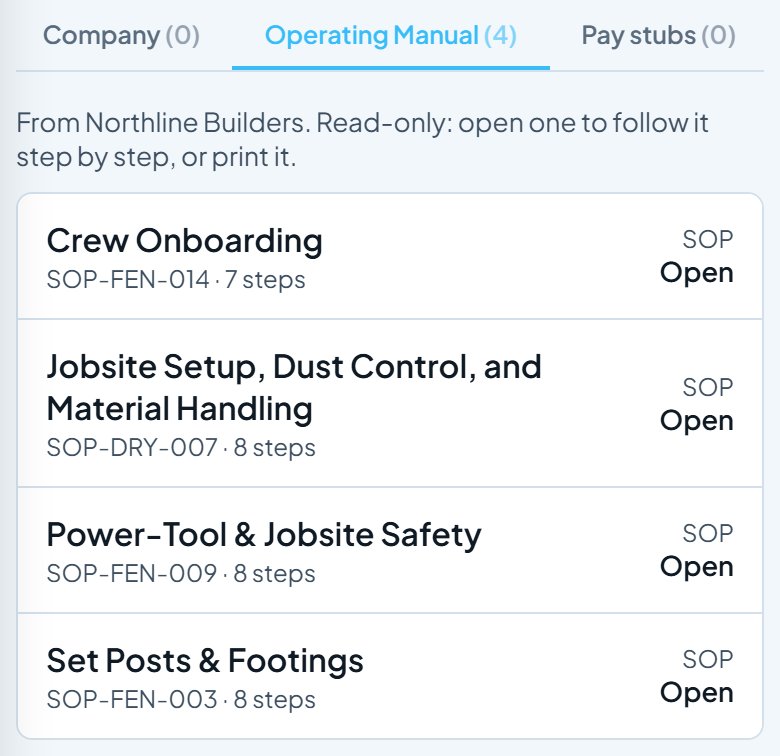
Your crew sees it on their phone
Each person on Work Suite gets an Operating Manual tab in Documents. It is read-only, with each SOP’s number and step count.
- Step 6 of 6
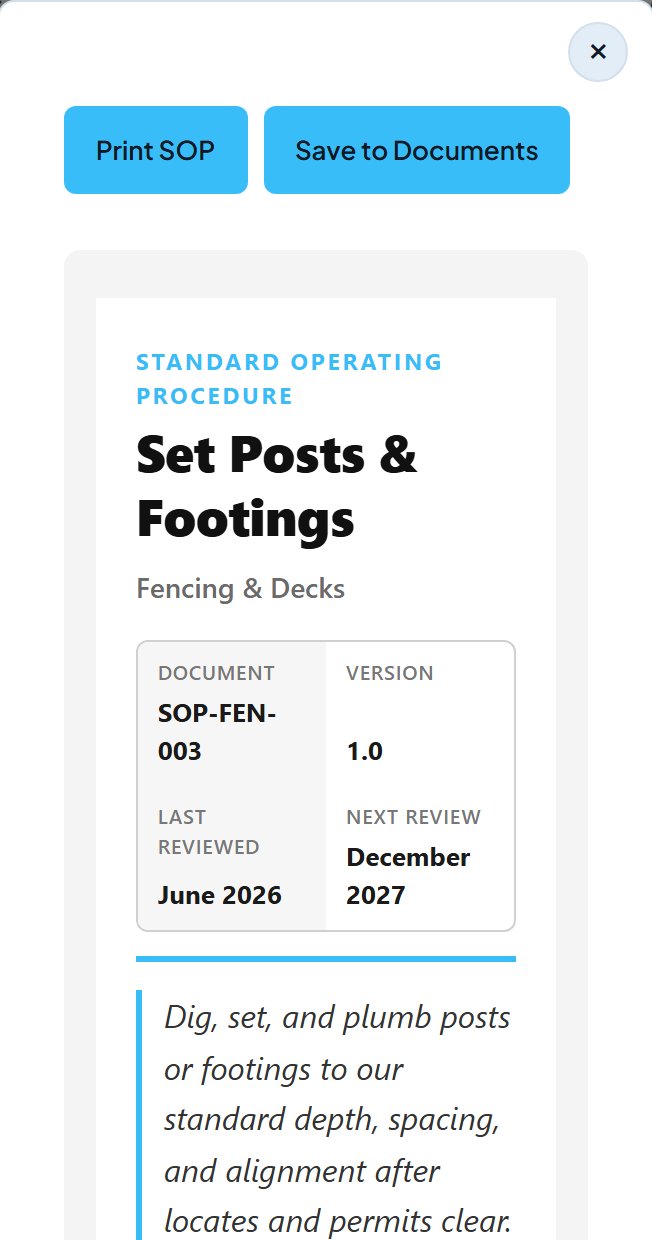
Open it on the job
They open an SOP to follow it step by step on site, or print it for the truck.
Start your Operating Manual today. Sign up free, save the SOPs that fit your trade, and invite your crew. Business is part of your free trial, with no card. Your crew uses Work Suite for free.
Start freeScreens updated 2026-11-16 from the live app. Names and amounts are a sample business.