Set up in December.
Start January 1.
Already on QuickBooks, Jobber, a spreadsheet or paper? You don't have to move years of history. Bring what's live, run the new year here, and keep your old records where they are. Setup never counts toward your free trial.
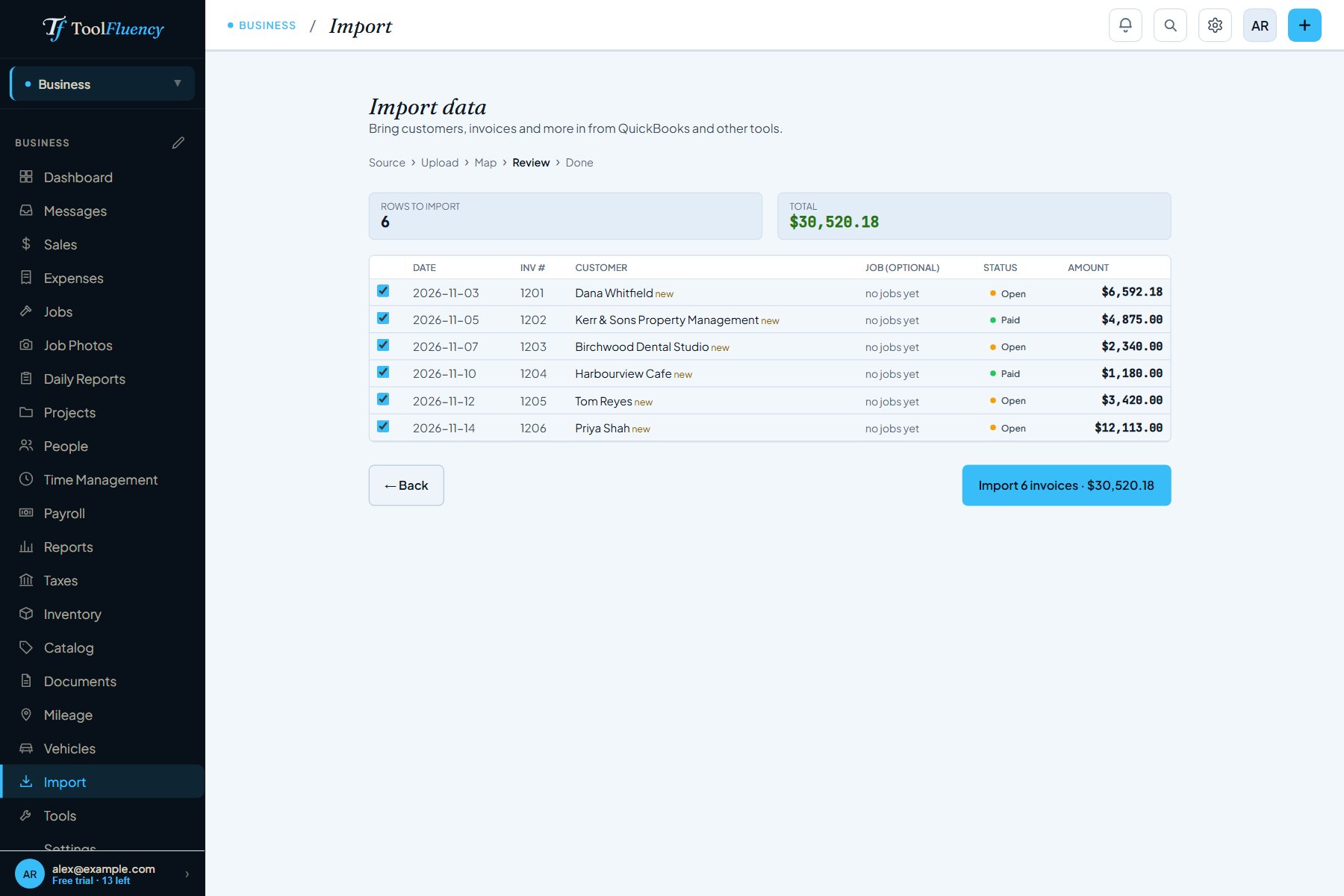
- QuickBooks export or any spreadsheet
- See every row before it saves
- Duplicates skipped, undo in one click
- No credit card to start
Export your customer list or invoice report from QuickBooks Online, or save any spreadsheet as CSV or Excel, and drop it in. Customers, suppliers, invoices, expenses and money in all come across, and unpaid invoices stay unpaid, so you know who still owes you.
Three steps, no overlap, nothing lost
Payroll and your books both run on the calendar year. Switch on January 1 and there is nothing to carry over: last year stays in your old system, this year starts here.
Real screens, not promises
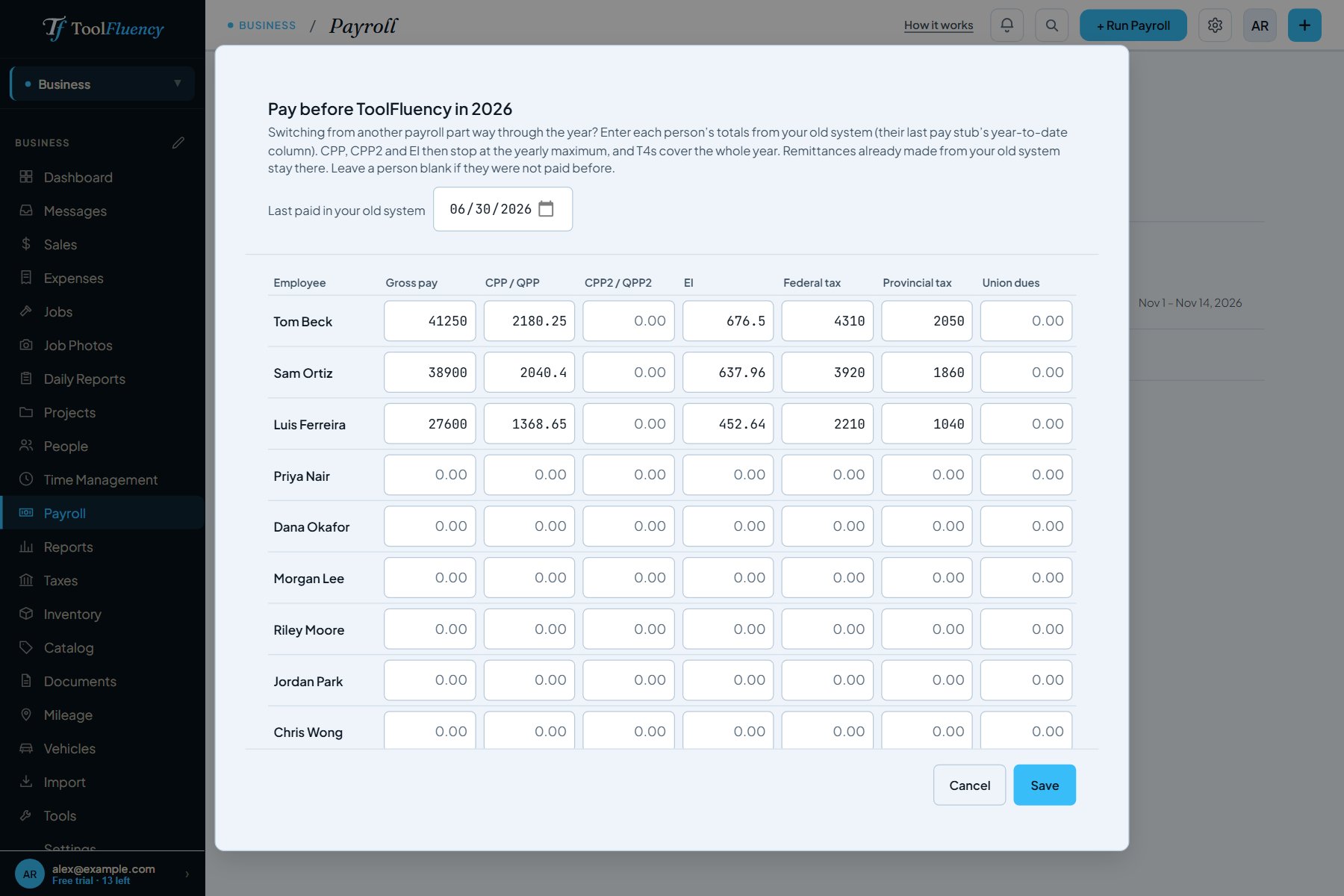 From each person's last pay stub
Can't wait for January? Switch payroll any pay period.
Enter what each person was paid this year in your old system: gross pay, CPP, CPP2, EI and tax (or federal tax, Social Security, Medicare and state tax in the US). Copy it from their last pay stub's year-to-date column.
- Deductions stop at the yearly maximum, counting what was already taken
- Pay stubs show true year-to-date totals
- T4 or W-2 figures cover the whole year, both systems together
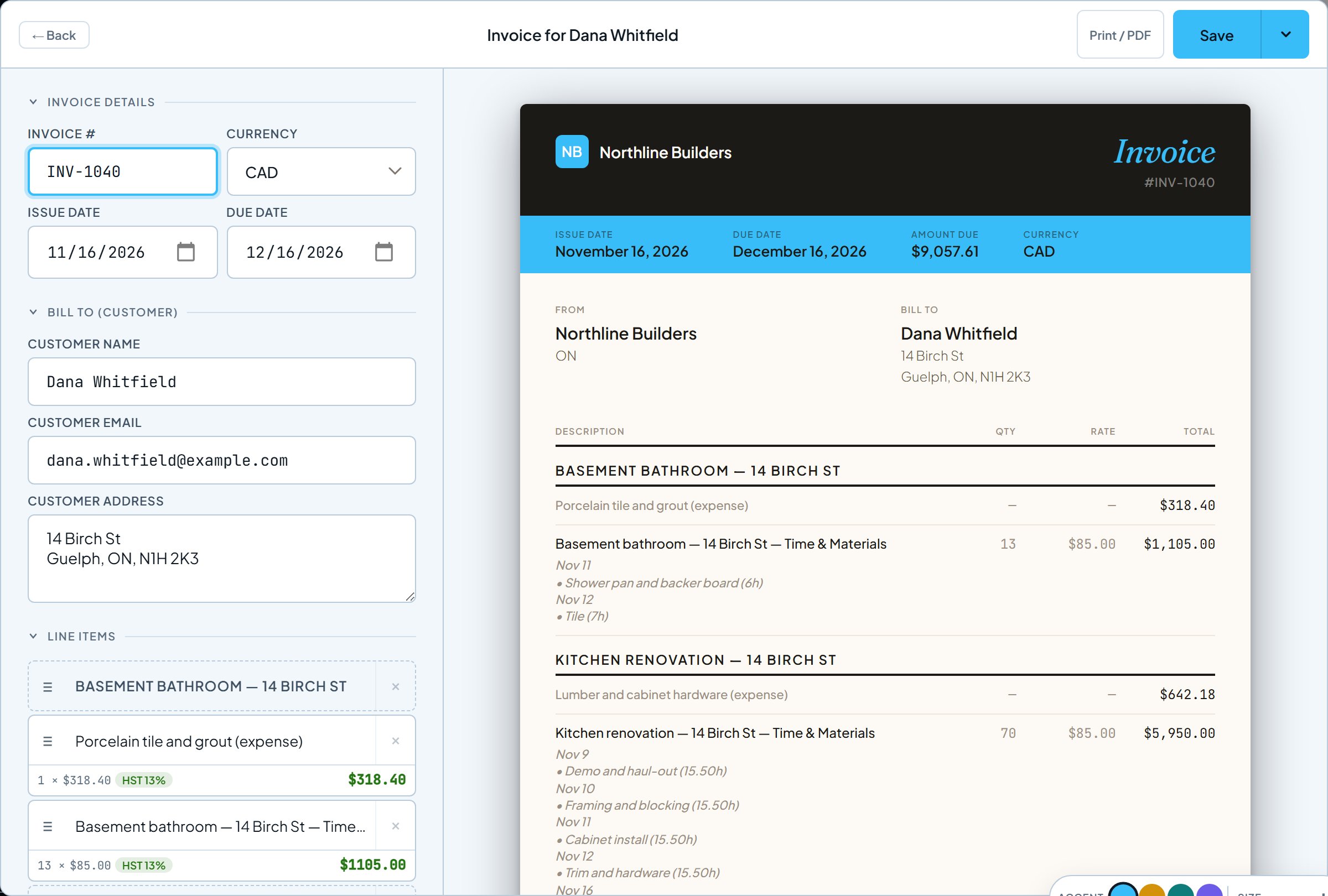 Built from the crew's hours
The hours your crew logs become the invoice.
Once the crew is logging time on their phones, billing a job fills the invoice from their approved hours and the job's materials, then marks them billed so nothing is charged twice. No retyping from a timesheet.
- Approved hours and billable materials, line by line
- Sales tax by province or state
- See every step of invoicing
What comes over, and what stays behind
- Customers and suppliers
- Unpaid invoices, so you know who still owes you
- This year's expenses, if you want them for tax reports
- Your crew: add each person once, then invite them
- Years of paid invoices: export them as PDFs or a spreadsheet and keep them
- Your full ledger and bank feeds: ToolFluency runs the crew, jobs, invoicing and payroll side, not full accounting
- Your price list is added by hand for now; there's no price-list import yet
Remittances and quarterly filings you already made from your old system stay with it. ToolFluency's remittance and Form 941 figures cover the pay you run here.