For trades crews

Schedule your trades crew
and collect their hours, free.

You pay only when you bill. Your crew logs their hours on their phones, and that part is free for a crew of up to 5. When you're ready to invoice off those hours it's $16 a month, with unlimited crew and no per-seat fees; payroll is $32. Start free, no credit card.
Time Management
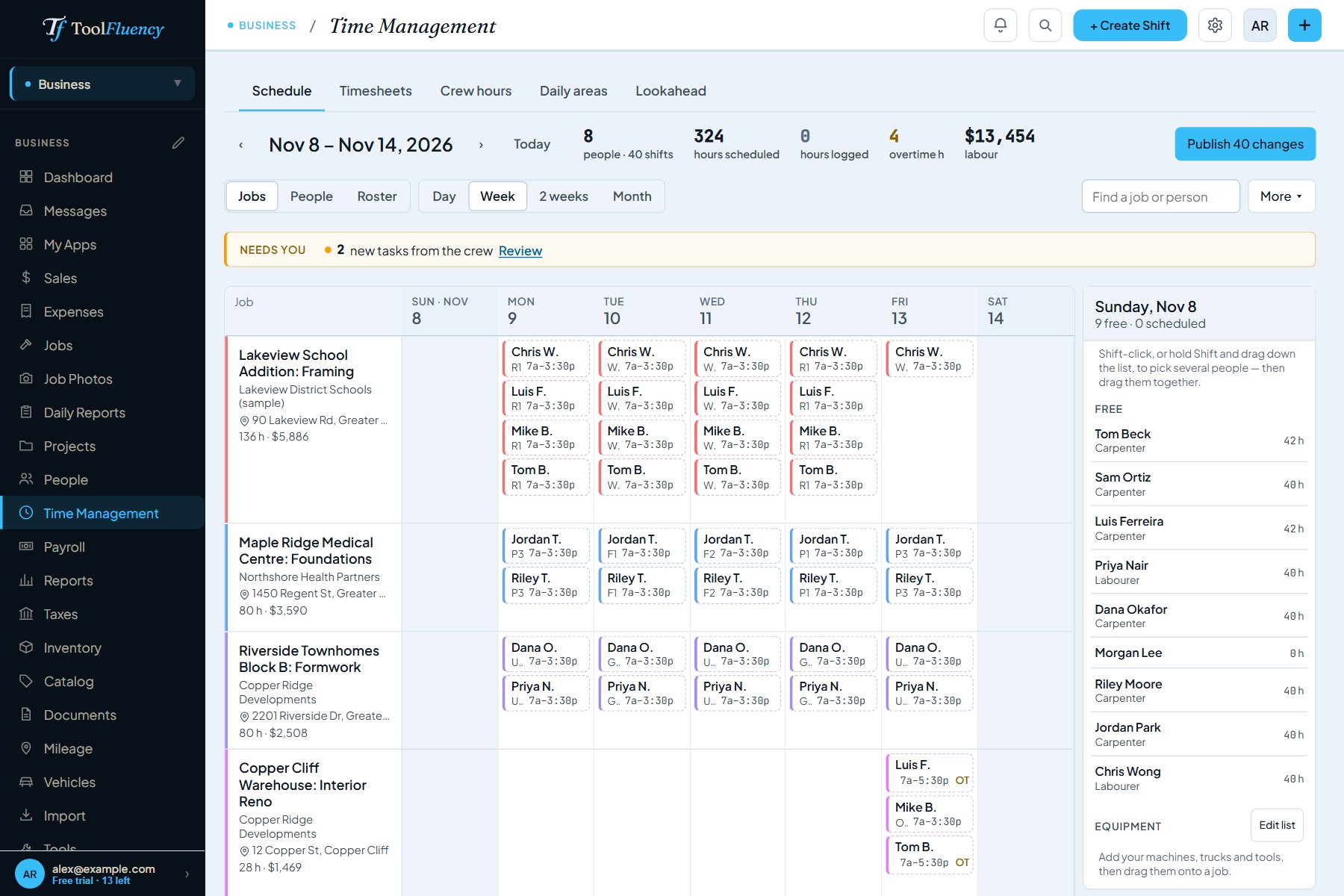
The crew schedule for one week: eight people dragged onto four jobs, with each job's hours and labour cost and the free crew listed beside it
  • Free for up to 5 crew
  • Paid plans: no per-seat fees
  • Nothing for the crew to install
  • No credit card to start

From "showed up at 7" to "customer billed"

1
Friday afternoon · free
Drag the crew onto next week's jobs.
Build the week by job or by person, book trucks and equipment to jobs, and publish. Everyone gets their own week on their phone.
2
On site · free
The crew logs hours to the job and the task.
From their phone browser, with a free login. Overtime is worked out by your rules. Sick or running late, they tap Can't make it? instead of texting.
3
End of the week · free
Approve the hours in one place.
Every timesheet, by day, with overtime split out. Approve them or send one back with a reason. Each job shows what its labour has cost so far.
4
Billing day · Business, $16
The approved hours become the invoice.
Bill a job and its approved hours and billable materials come in as line items, with your sales tax. Billed hours are marked so they never land on a second invoice.
5
Payday · Business Pro, $32
The same hours run payroll.
CPP, EI and tax (or Social Security, Medicare and withholding in the US), and each person's pay stub on their phone.

Time management, timesheets and the invoice they become

Taken from the app, from a sample construction company and its crew.
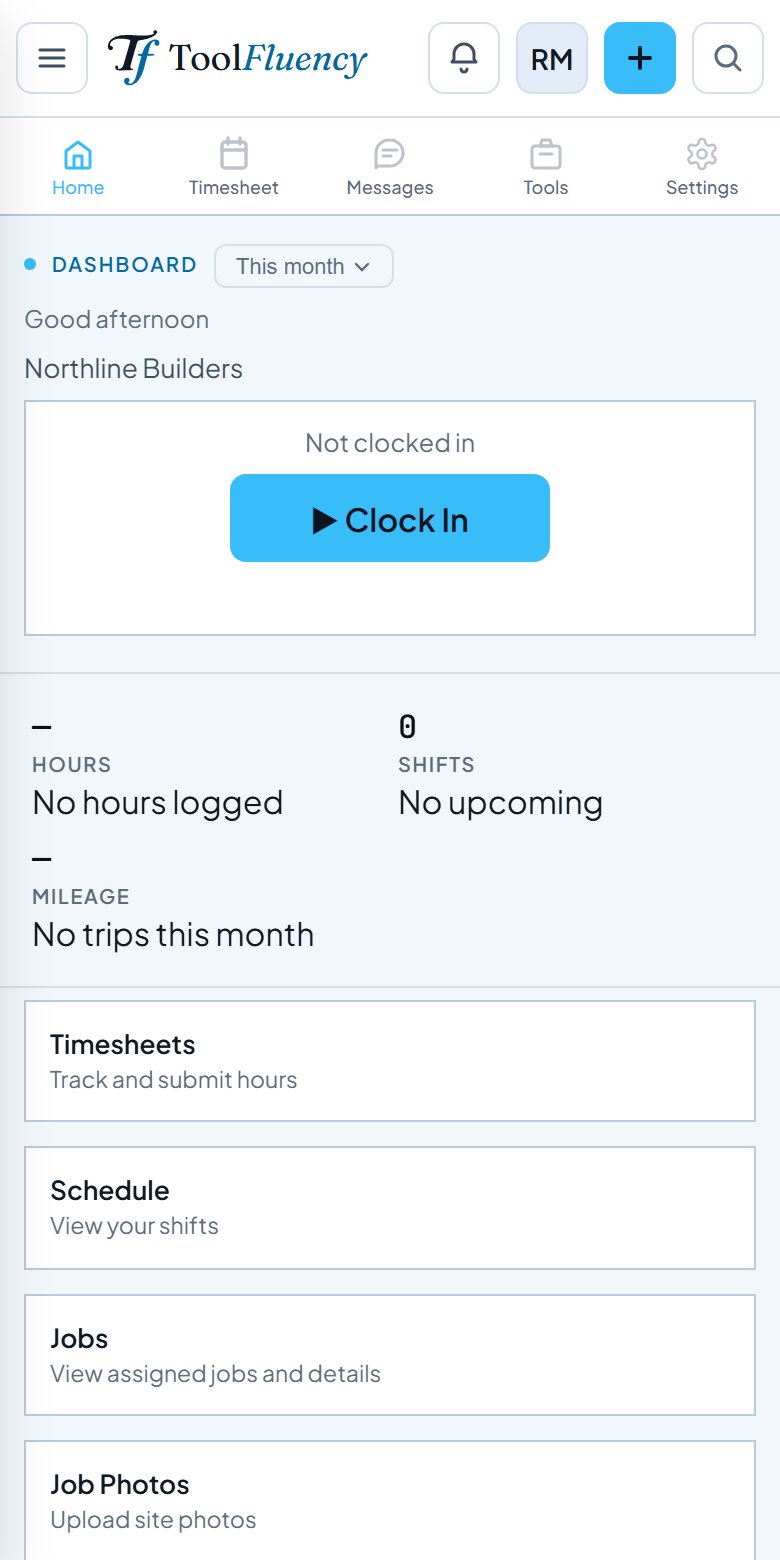
A crew member's phone: Clock In, their hours and shifts, and links to timesheets, schedule, jobs and job photos Clock in
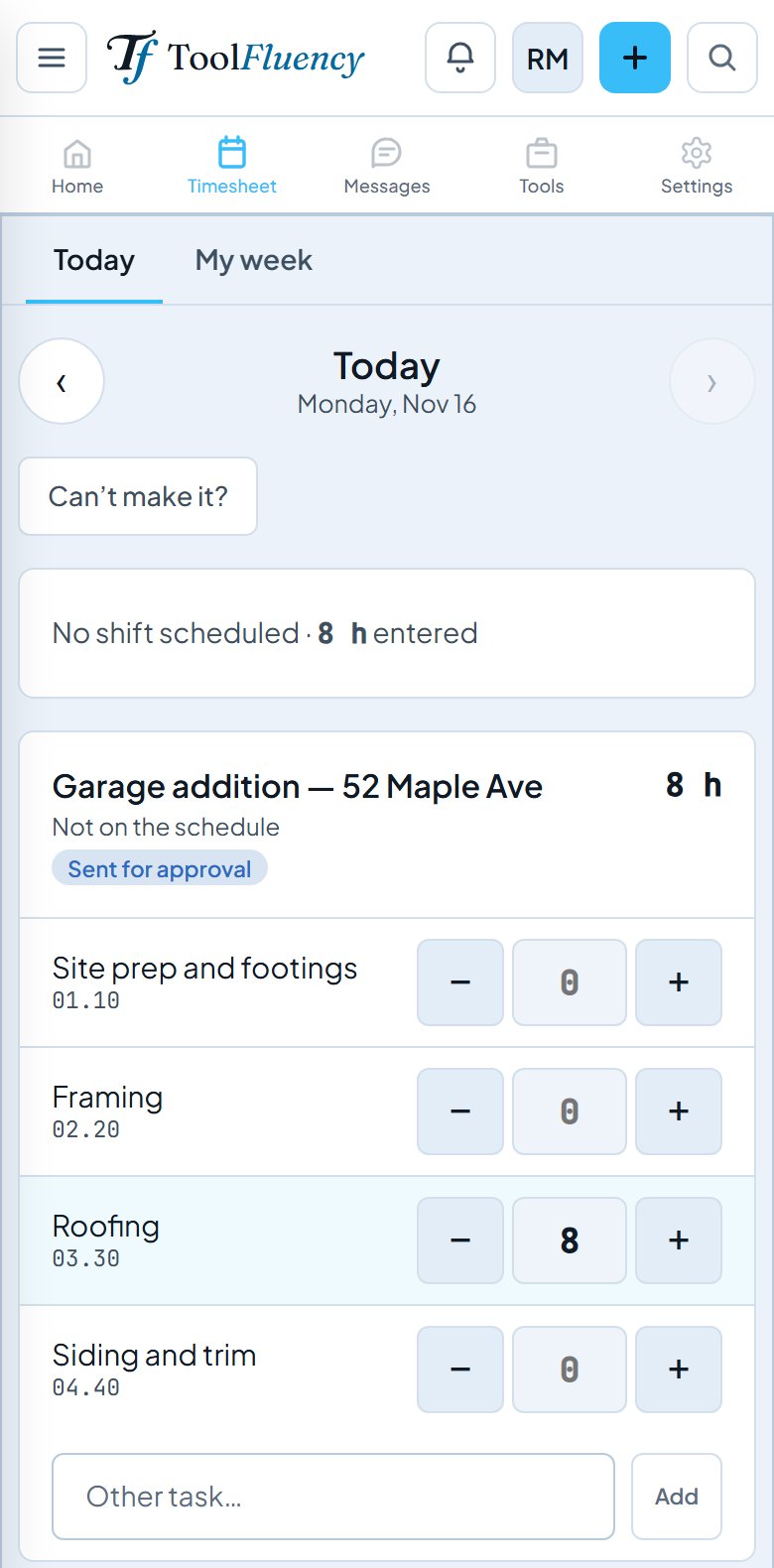
Today's hours on a phone, entered against the roofing task of a garage addition and sent for approval Hours on the task
Free for up to 5 crew

The crew's side costs them nothing.

Each person gets a free Work Suite login: their shifts, Clock In, hours logged to the job and the task, time-off requests, and their own free personal side. Nothing to install. Up to 5 are free; on Business or Pro there's no limit and nothing per person.

  • On a paid plan your fifteenth worker costs what your third did: nothing
  • No location tracking, nothing running in the background
  • What your crew sees
Timesheets
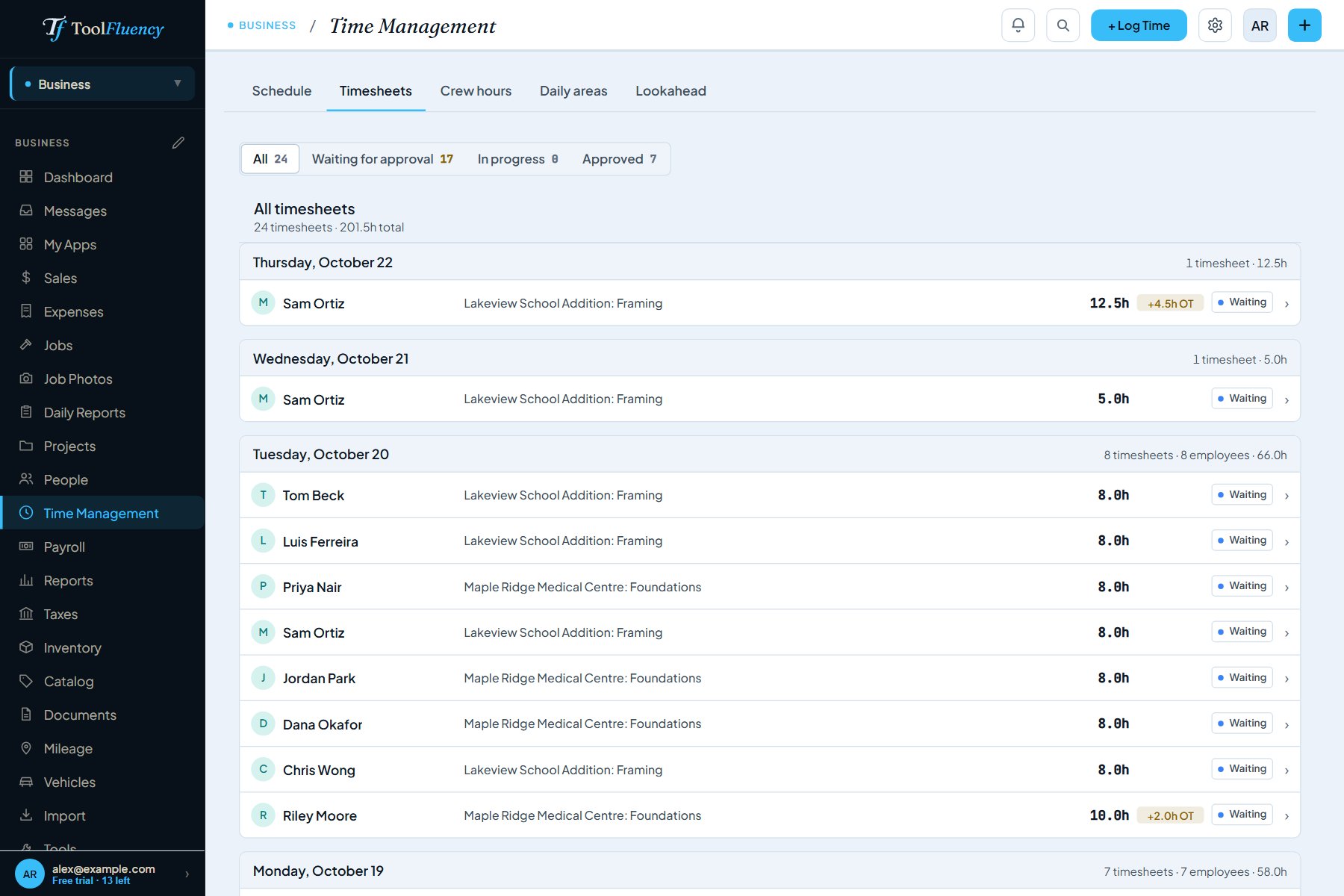
Timesheets waiting for approval, grouped by day, each with the person, the job, the hours and any overtime Overtime split out for you
Free on every plan

Every hour, by day and by job, ready to approve.

No Friday texts, no paper cards. Approve the week or send a day back with a reason. A daily report for each job (who was on site, the work done, weather, photos) can go to the customer for a signature.

Invoice
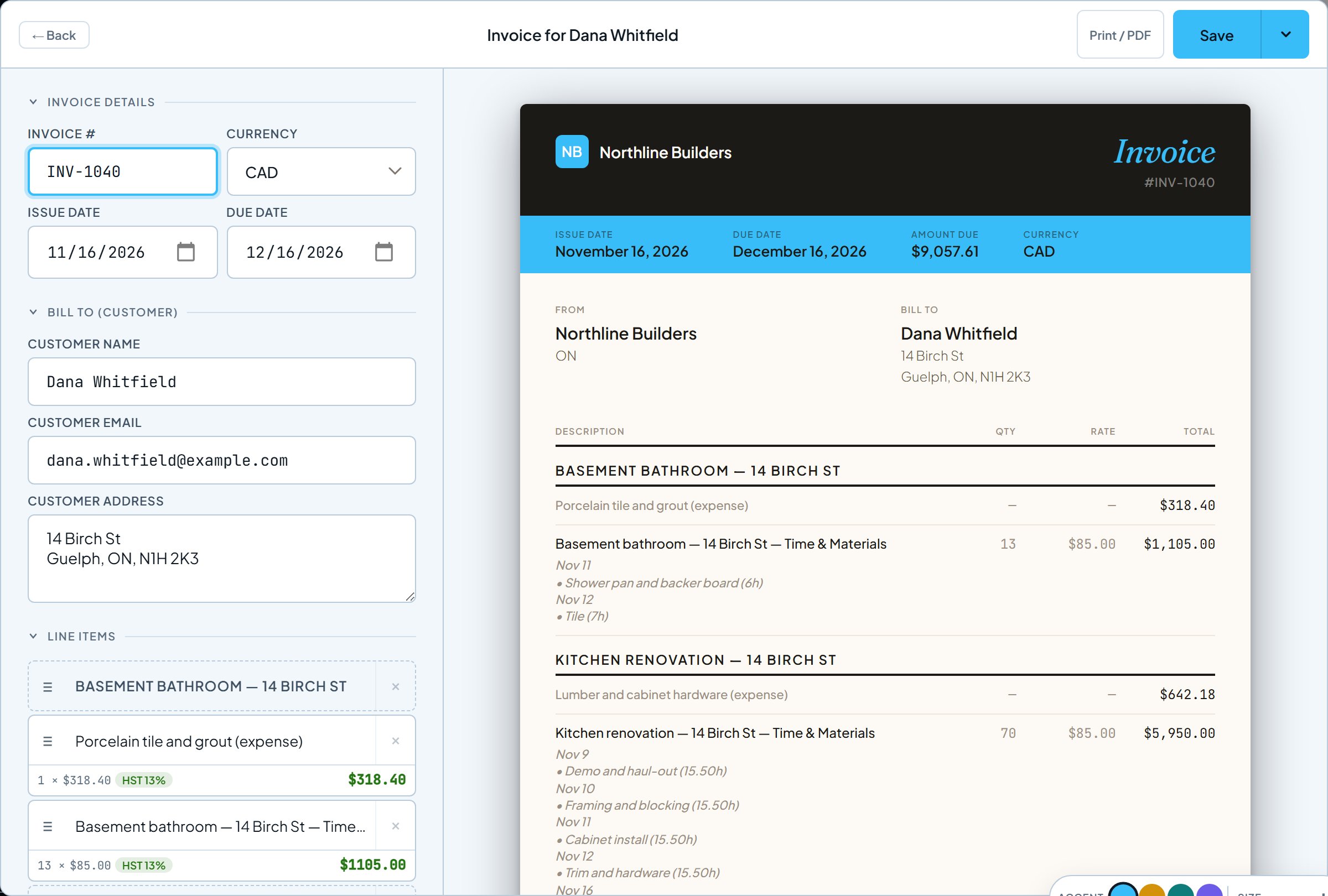
An invoice built from two jobs, with each day's hours and the billable materials already listed as line items Built from the approved hours
Business, $16 a month

Bill the job without retyping a single hour.

Pick the jobs to bill and the approved hours and billable materials come in, line by line, day by day, with the right sales tax. Your customer opens it in any browser and you see when they do.

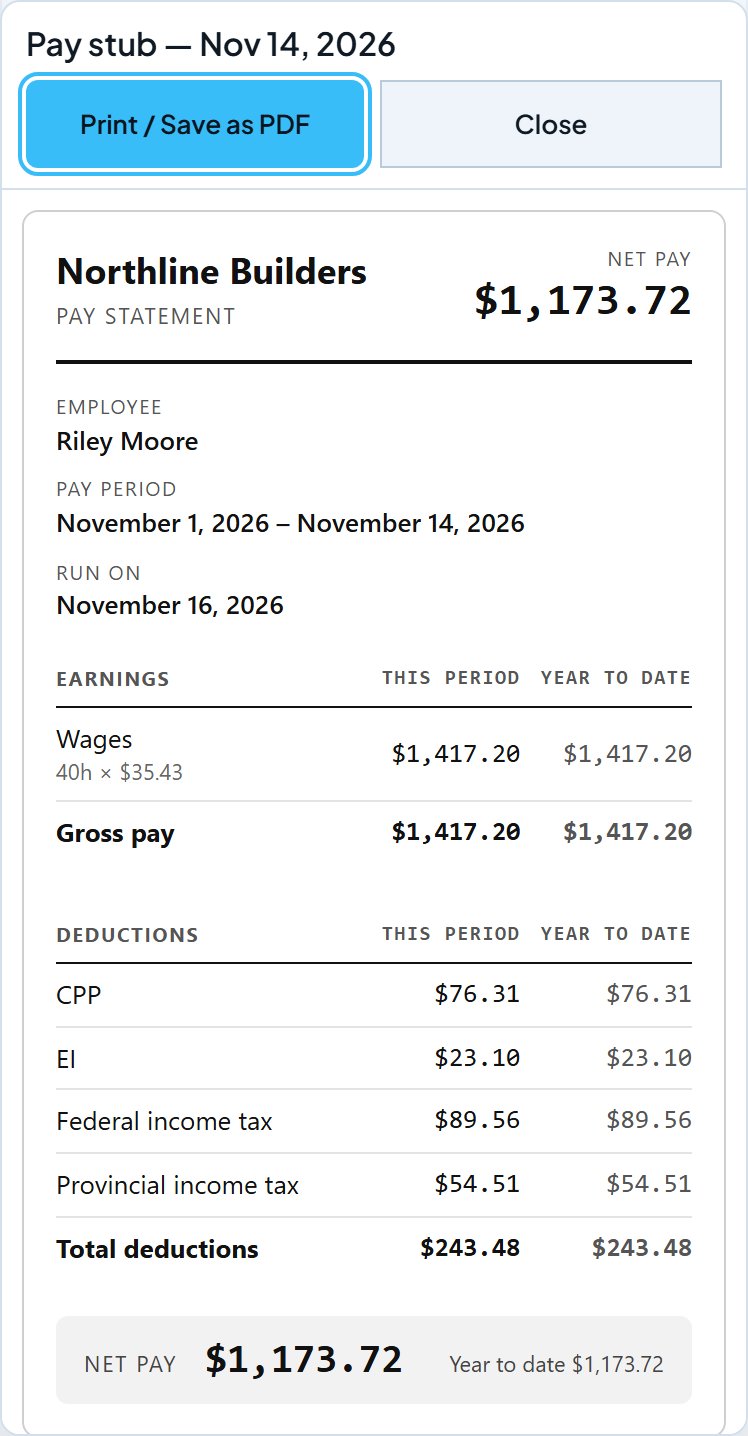
An employee's pay stub on their phone: wages, CPP, EI, federal and provincial tax, this period and year to date Each person's pay stub
Business Pro, $32 a month

The same hours run payroll.

The approved hours are already in the pay period. Check anyone's pay, run it, and each person's stub goes to their phone at the same moment. Year-end T4 or W-2 figures come from the year's runs.

  • CPP, EI and tax, with QPP and QPIP in Quebec
  • US federal and state withholding, Social Security, Medicare
  • See payroll step by step

What a crew of 8 costs

Field-service tools charge per user, so every hire is another monthly line item. Here a crew of up to 5 is free, and paid plans are priced per business, not per person.

For a crew of 8Pricing modelMonthly costBills off the hours?
ToolFluency Business (scheduling, timesheets, invoicing)Flat · unlimited crew$16✓ Built in
ToolFluency Business Pro (+ payroll)Flat · unlimited crew$32✓ Built in
Jobber (Connect, 5 users)5 users included · $29/user after$286 USD✓
ClockShark (Standard)Base fee + per user · 3-year contractNot publishedTime tracking only
Time clock + spreadsheet + WordThree toolsYour Sunday nightsYou retype it all

Competitor prices are from Jobber's public pricing page as of November 2026, in USD: Connect with 5 users included plus 3 more at $29 each is $199 + $87 = $286 a month with no commitment ($256 on a 1-year commitment, or $229 billed yearly on the 10-user tier). ClockShark doesn't publish its prices; its pricing page says plans are a base fee plus a per-user fee on a 3-year contract. Check their sites for current rates. They are broader products with features ToolFluency doesn't try to match; this compares what a small crew pays for: scheduling, hours, costing jobs and billing them. ToolFluency prices are USD or CAD a month, billed monthly ($13 and $26 billed annually). A crew of up to 5 is free on the free plan.

Built for the shop that outgrew the group text

Shaped by a Red Seal carpenter in Ontario who has run his own crew, for shops of two to twenty people.

Trades and construction
Hours on the right job and task.
Framers, drywallers, roofers, electricians, plumbers, painters. Free Ontario building-code tools and trade SOPs on the same login.
Field service
Every stop is a job with its own hours.
HVAC, appliance repair, pest control, handyman crews. At the end of the week every job is already costed and ready to bill.
Property and grounds
Seasonal crews, no seasonal bill.
Landscaping, snow removal, cleaning, pool service. Add the summer crew and take them off in the fall; on a paid plan your price doesn't move.

The rest of the jobsite, on the same login

Daily reports
Who was on site, the work done, weather, materials and photos, filed from the job. Saves without signal; send the customer a link to sign. Free.
Equipment on the schedule
Add your machines, trucks and tools, then drag them onto jobs, so everyone can see what's booked where. Free.
Operating Manual
Pick trade SOPs, edit them to fit, and your crew reads them on site, with your province's locate service and safety rules.
Building-code tools and plan sheets
Spans, stairs, guards and footings cited to the Ontario Building Code, and true-scale plan sheets for a permit package. Free.

Start with the crew free. Pay for what you bill.

Free
$0
No credit card
  • Up to 5 crew logins (Work Suite)
  • Scheduling, timesheets and approvals
  • Jobs and job costing
  • Daily reports and lookahead
  • Equipment on the schedule
Set up your crew free
Business
$16
USD or CAD a month · $13 billed annually
  • Everything in Free
  • Unlimited crew logins, no per-seat fees
  • Invoices built from the approved hours
  • Estimates, expenses and receipts
  • Sales tax, income tax and P&L reports
  • Customers, mileage and vehicles
Start free

New accounts get a free trial of the full suite: 15 invoices sent, payroll runs or reports, within 30 days. Setup never counts. All plans

Cost, installing, payroll and cancelling

Is the crew really free?
Scheduling, timesheets, approvals, jobs and daily reports are free on every plan. On the free plan you can give up to 5 people a crew login; Business and Business Pro have unlimited crew with no per-seat fees. Each person you invite gets a free Work Suite login and their own free personal side, so the crew never pays. You pay only for invoicing ($16 a month) or payroll ($32 a month). Excel exports of daily reports are on Business.
How does an invoice fill itself from the crew's hours?
Hours the crew logs against a job, once you approve them, sit as unbilled on that job, along with any materials marked billable. When you bill the job, they come in as line items with your sales tax. Once billed they're marked, so they can't land on a second invoice by accident.
Is this a Jobber or ClockShark alternative?
For a small crew, yes, with a different pricing model. Jobber and ClockShark charge per user, so the bill climbs with every hire; here a crew of up to 5 is free and paid plans are per business, not per person. ClockShark tracks time only, so you'd need another tool to bill. Those products have features we don't try to match; this compares scheduling, hours, job costing and billing.
Does the crew need to install an app?
No. Work Suite opens in any phone browser and can be added to the home screen. Nothing runs in the background and there is no location tracking.
Do the same hours run payroll?
Yes, on Business Pro. The approved hours feed both job costing (what to bill) and payroll (what to pay). CPP, EI and tax on current CRA rates, with QPP and QPIP in Quebec, or federal and state withholding, Social Security and Medicare in the US.
What does the free trial include?
The full suite, with no credit card, and up to 5 crew logins (the same as the free plan; Business is unlimited). It counts only 15 invoices sent, payroll runs or reports, within 30 days of the first one (or of your first crew member joining). Setup, estimates, the crew and scheduling never count. After it, scheduling and timesheets stay free (up to 5 crew logins) and your data stays intact.
Who builds it?
A Red Seal carpenter in Ontario who has run his own crew. No outside investors. If you email about a bug or a feature, it's the builder who reads it.
Can I cancel at any time?
Yes. Cancel before your next billing date and you won't be charged again. Nothing you made is deleted when a plan ends: you can still open, edit, print and export all of it, and only new items past the free limits wait for a plan.

Put the whole crew on it this week, free.

Schedule and collect hours for free with up to 5 crew. Add invoicing or payroll when you're ready. No credit card, no per-seat fees.

Set up your crew free
See the math Start free